Play · Voice
Give the world a voice.
Read a page aloud, perform a scene between characters, or talk to an NPC and hear them answer in character. Voice runs on Google's Gemini, through your own Gemini API key: Google bills you directly, and Adventure Builder never sees your bill.
What it does
Four ways to use it.
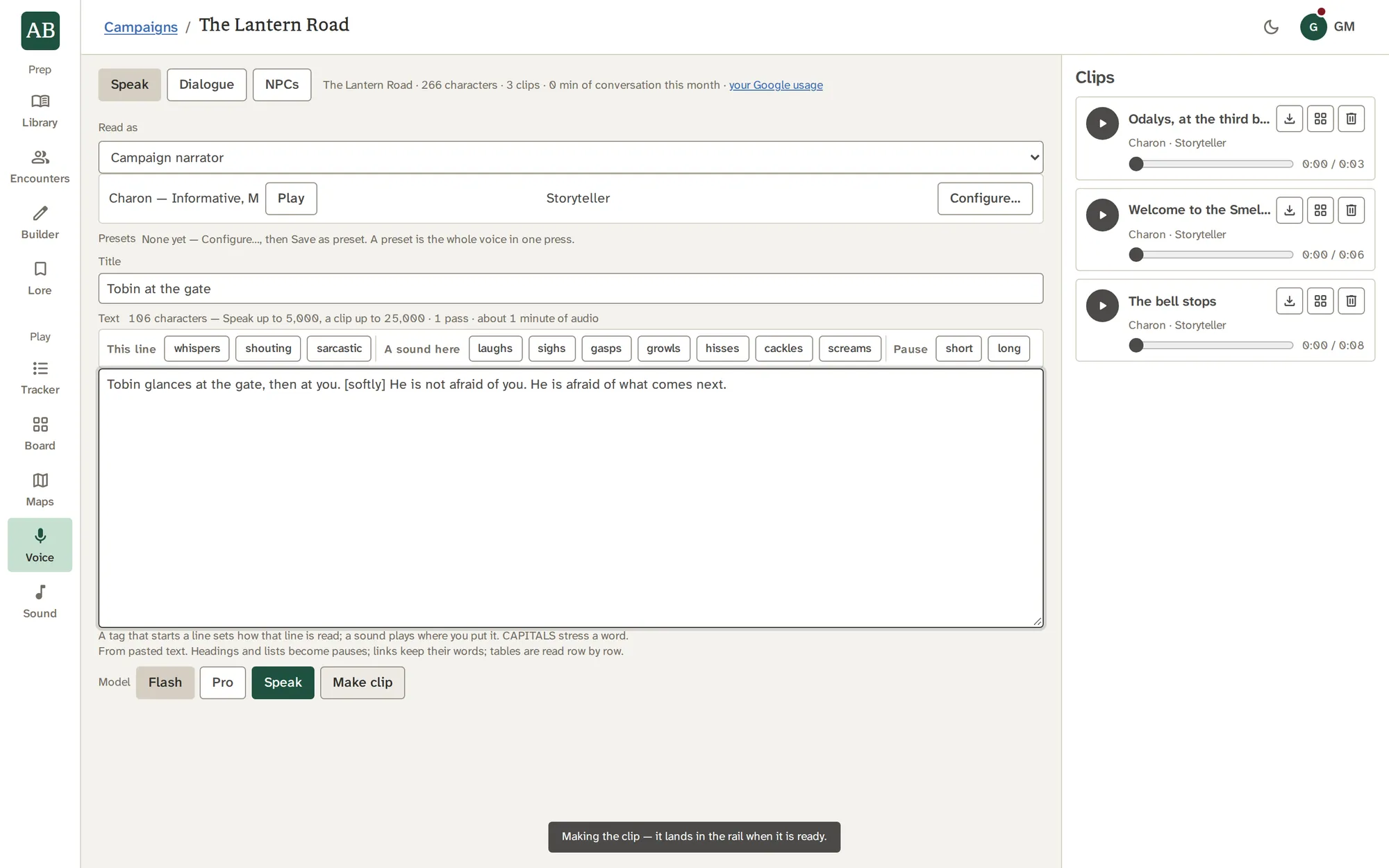
Speak any text, in any voice
Read a Lore page, a Board note or a record's prose aloud, or paste your own. Speak plays at once and keeps nothing. Keep as clip saves exactly what the table heard, and Make clip puts an MP3 in the rail.
- Played live: up to 5,000 characters, about eight minutes
- A clip: up to 25,000 characters, and a longer chapter is split
- Tags such as [whispers] bend one line, and a tag palette puts them in
Configure the read
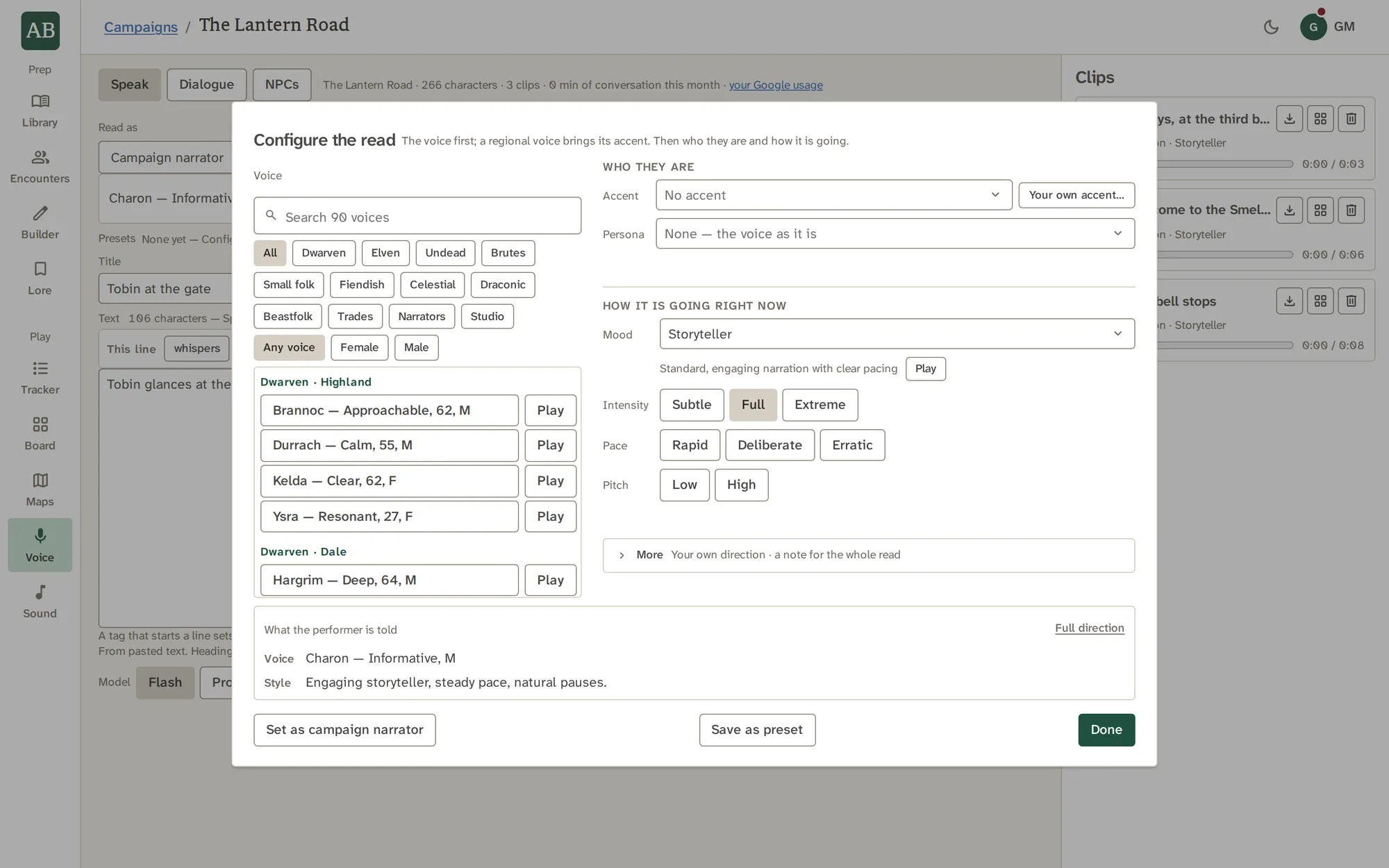
Pick the voice first, then who they are (an accent and a persona) and how it is going right now (a mood, with intensity, pace and pitch). A line at the bottom shows exactly what the performer is told.
- 94 directions across personas and moods, from Innkeeper to Dragon, Hushed to Dying
- Presets keep a whole voice under one name
- Pickers search by name, description or a people's everyday name
Dialogue: a scene between up to six
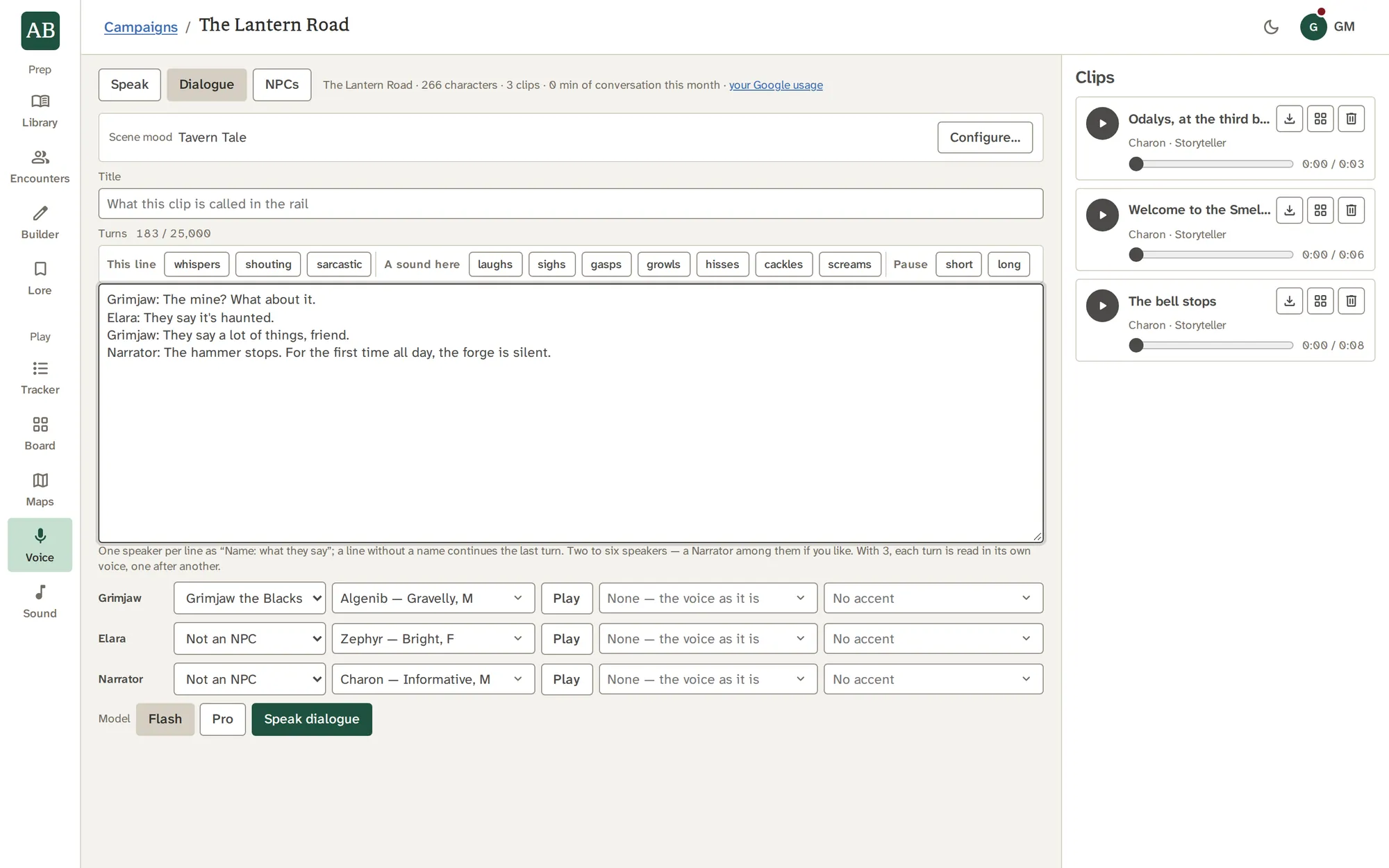
Write Name: what they say lines, give each speaker a voice, a persona and an accent, and set one scene mood. A speaker named after one of your NPCs is cast from them, and a Narrator comes from your campaign's narrator.
- Two speakers in one pass, three to six one turn at a time
- All in one clip, up to 120 turns
- If Google's rate limit pauses a clip, it waits and asks again
NPCs who answer back
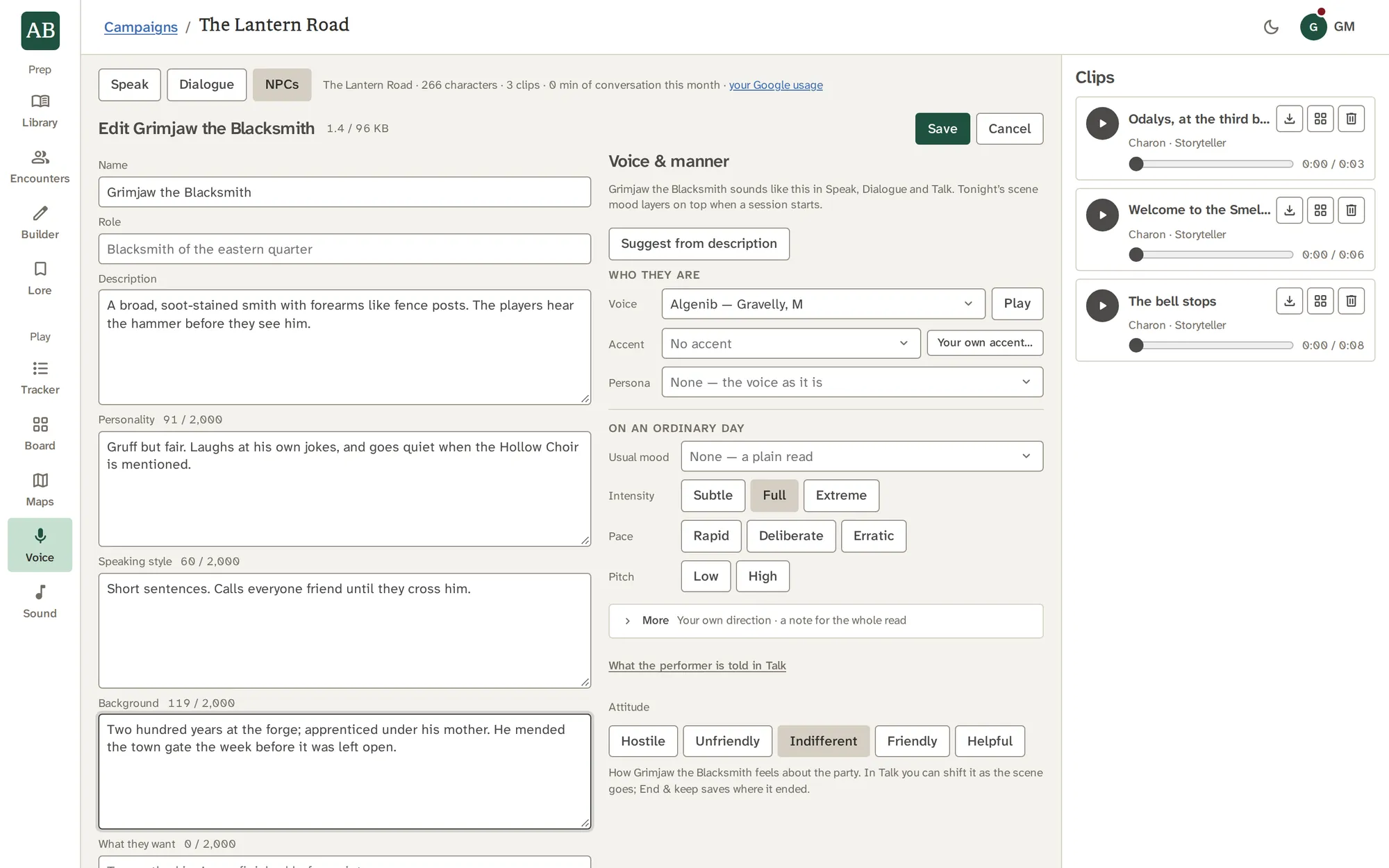
Give an NPC a persona (who they are, how they speak, what they want, what they guard), what they know, and a usual manner. Then Talk: speak or type, and they answer in character. Keep the conversation, and they remember it.
- Open mic, push to talk, a typed line, and director notes that shift the performance
- On the newest model, an NPC can ask for a skill check, mark a secret, or shift its own attitude
- What they remember holds facts you can correct or forget
On your own Gemini API key
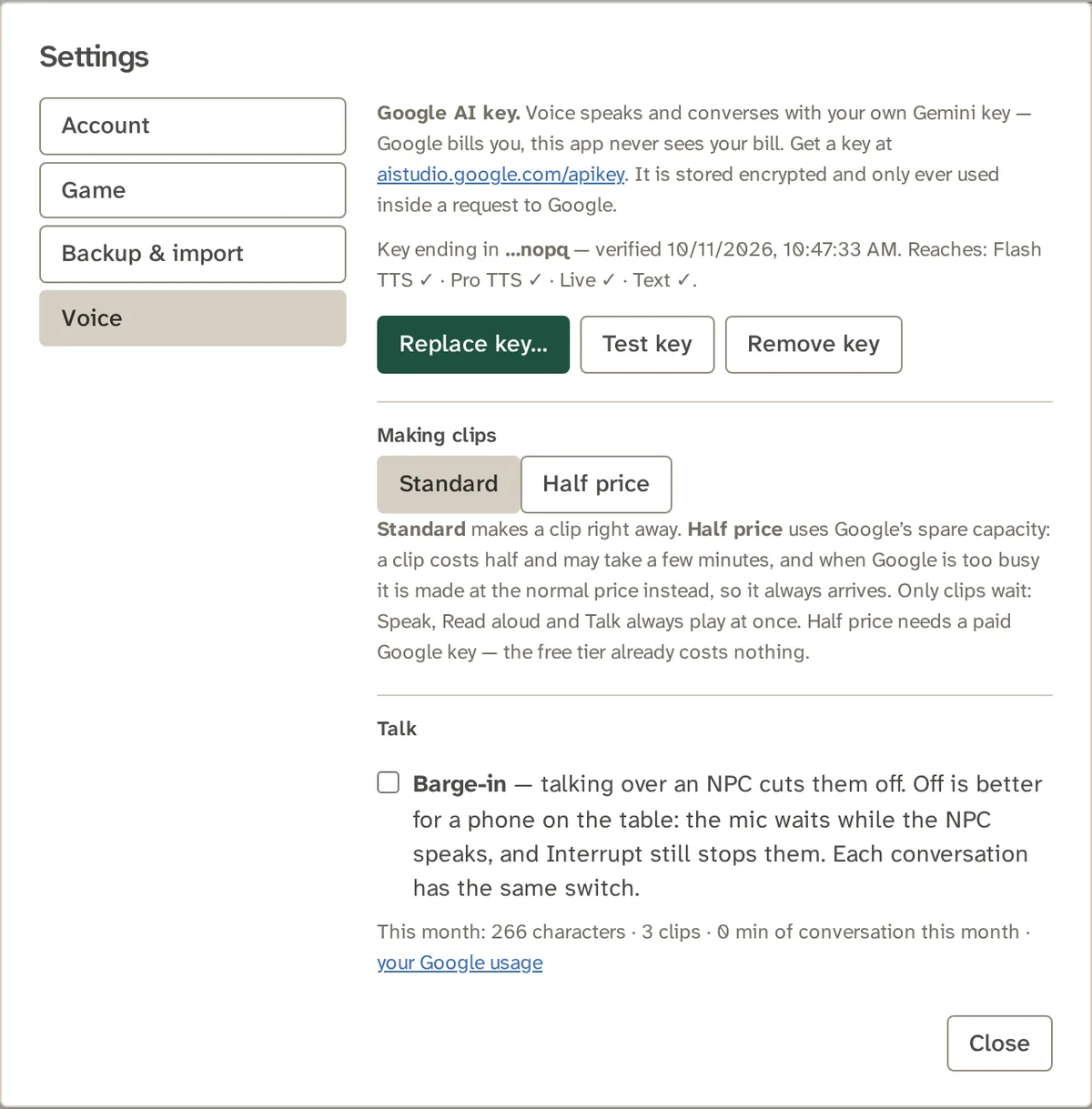
Voice runs on Google's Gemini, through a Gemini API key that belongs to you. Google bills you directly, Adventure Builder never sees your bill, and your key is stored encrypted and used only inside a request to Google. Test key and Remove key are in Settings.
- This month's usage sits beside a link to your Google usage page
- Standard clips are made at once; Half price clips use Google's spare capacity
- How to get and add your key
See it work
Words become a voice.
Choose a voice, a persona and a mood, and the text is performed. This sketch is a waveform; the real one plays through your table's speakers.
With the other tools
Where the work goes next.
Good to know
What it does not do.
- Voice plays through your own device and your table's speakers. Players' phones get no audio.
- Voice needs a Gemini API key. Every other tool works without one.
- A read that you do not keep as a clip is not stored.
Questions
About Voice.
What do I need to use Voice?
A Gemini API key of your own, from Google AI Studio. Add it in Settings, then Voice. Everything outside Voice works without one. See Your Gemini API key.
Who pays for it?
You do, to Google, directly. Adventure Builder never sees your bill. This month's usage is shown in Settings beside a link to your Google usage page, and it is never a limit.
Is my key safe?
It is stored encrypted, never shown back to you or anyone, and used only inside a request to Google. You can test it or remove it at any time, and deleting your account removes it.
What are Standard and Half price clips?
Standard makes a clip at once. Half price asks Google's spare capacity, costs half, and may take a few minutes. It needs a paid Gemini API key, since the free tier already costs nothing.
Can my players hear Voice on their phones?
No. Audio plays through your device and the table's speakers. Players' phones show the initiative, a map or a card, and receive no audio.
What voices are there?
30 studio voices, each with a one-word character and a sample, and regional voices with fantasy names and the accents they bring. Add a persona and a mood on top.
Can an NPC remember earlier sessions?
Yes. When you end and keep a conversation, a summary of it joins their memory as short facts in their own voice. You can correct or forget any of them.
Do I need a microphone?
Only to speak to an NPC. You can also type a line. Barge-in is off by default, so the mic waits while the NPC speaks, which suits a phone on the table.
Are these recordings of real people?
No. The voices are synthetic, generated from your text.
What about other languages?
An NPC answers in the language it is spoken to in, whatever accent its voice carries.
Try Voice on your own campaign.
Give the world a voice, on your own Gemini API key.