Prep · Encounters
A fight that fits your party.
Set the party's size and level, add creatures from the Library, and watch the experience budget fill as you go. Both systems' rules are built in, and the result goes straight to the Combat Tracker.
What it does
What it does, one piece at a time.
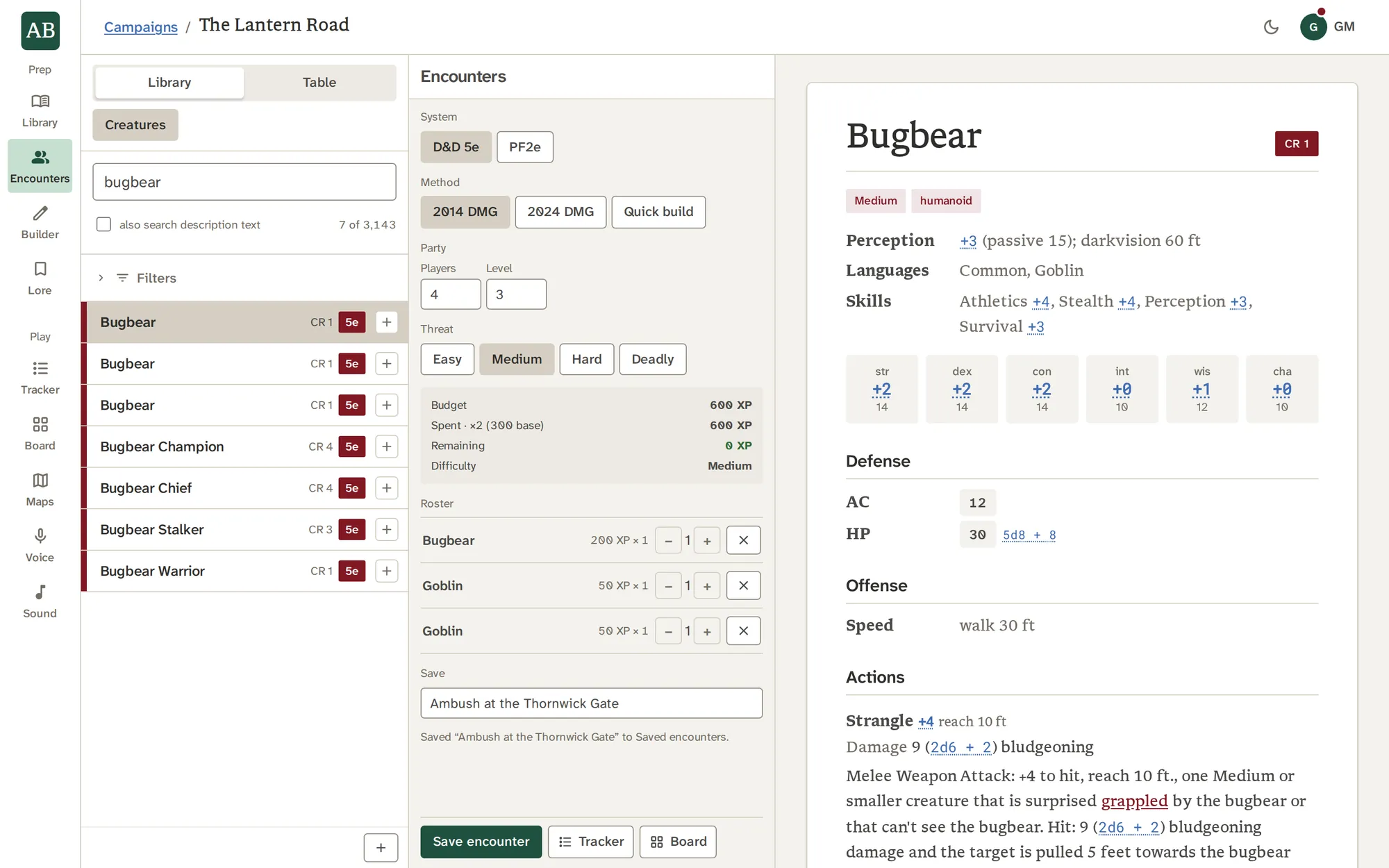
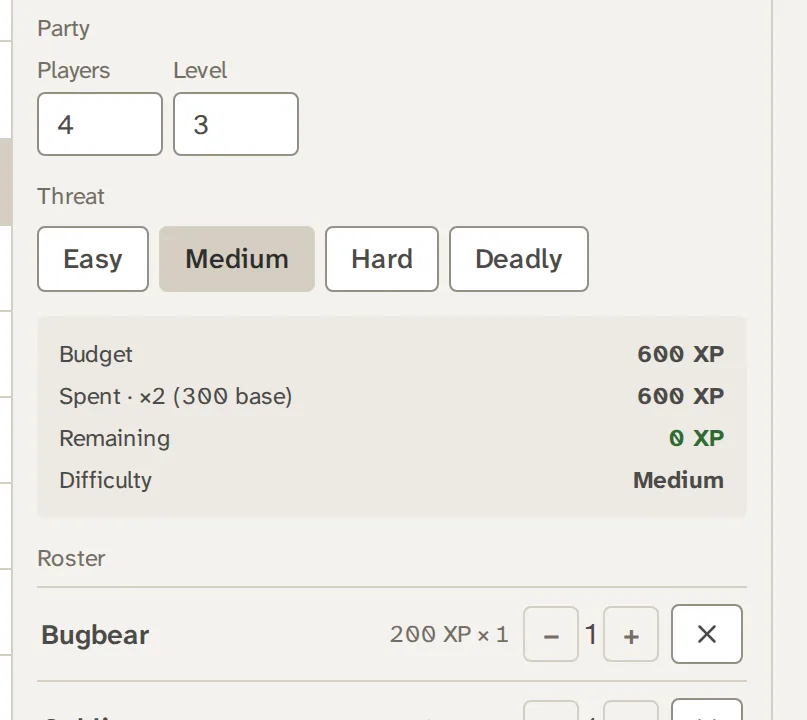
A budget that fills as you add
Enter how many players and what level, pick a threat, and the meter shows the budget, what you have spent, what is left, and the difficulty. Add a creature and it moves at once.
- Group multipliers count, so adding a fourth creature costs what the rules say it costs
- Difficulty is the highest band the budget has reached
- An empty roster reads None, and a short one reads Below Easy where the rules name no band
Only what you can still afford
In Encounters the Library gets a Fits remaining filter. It narrows the list to creatures the draft can still take, decided by trying the add through the same math the meter uses, so multipliers and out-of-band creatures are counted properly.
- The list shrinks as the roster grows
- A creature outside the second system's level band is labelled Outside ±4, at 0 experience
- The same filter works with the system locked to the one you are building
Quick build
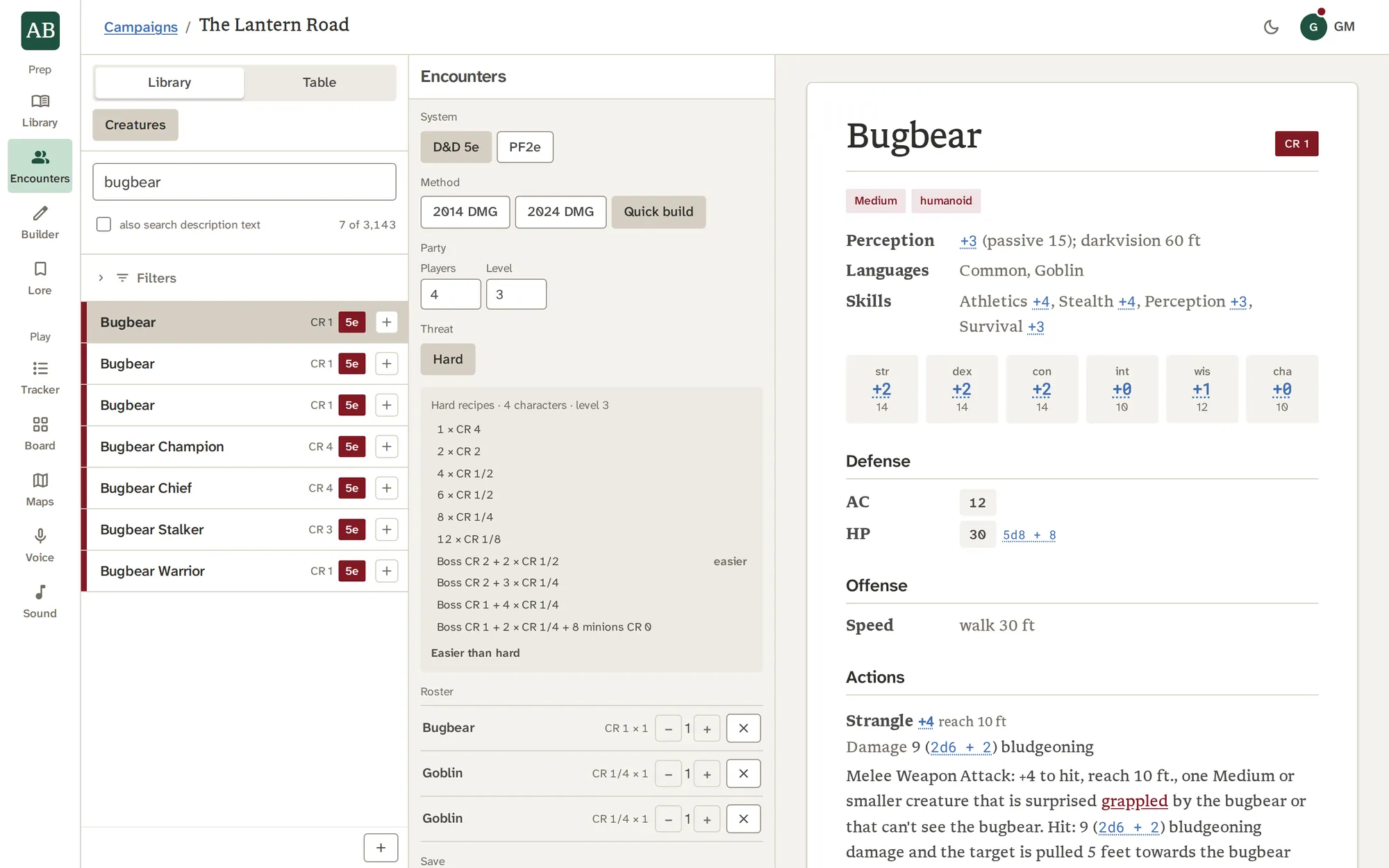
For fifth edition, Quick build replaces the budget with recipes. It lists the ways to build a Hard encounter for your party, and marks your roster against them: matches, easier, harder or near, with a one-line verdict.
- Recipes for parties of four to six, levels 1 to 20
- One to twelve creatures of one rating, or a boss with two to four of a kind, or a boss with minions
- A Fits a recipe filter in the Library
Save it, send it
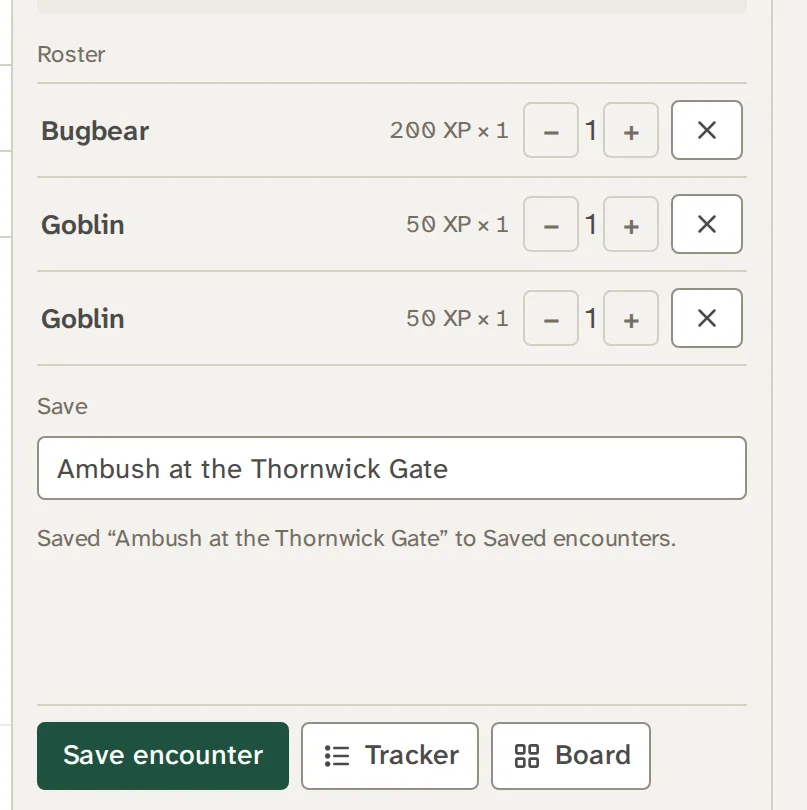
Save the encounter by name, and it joins Saved encounters beside your party. Send it to the Combat Tracker or the Board with one click. Loading a saved encounter adds to what is already there and never replaces it.
- Edit a saved encounter later, and save under the same name to overwrite it
- A name already saved asks before it overwrites
- Undo takes a load back
See it work
The budget fills as you add.
Each creature adds its experience, the multiplier for the size of the group applies, and the difficulty follows the highest band the budget has reached.
With the other tools
Where the work goes next.
Good to know
What it does not do.
- Quick build covers Hard encounters for parties of four to six. The budget meter works for any party size you type.
- Budgets use each system's own rules. There is no conversion between them.
Questions
About Encounters.
Which rules do the budgets use?
Both systems' own rules. For fifth edition you can pick the 2014 method, the 2024 method, or Quick build. The second system uses its own level-based budget.
How is difficulty decided?
It is the highest band the encounter's budget has reached, in every ruleset. The meter shows the budget, what you have spent and what is left.
What is Quick build?
A set of ready recipes for Hard encounters, for parties of four to six at levels 1 to 20. Your roster is checked against the recipes for its size.
Can I save an encounter and use it later?
Yes. Save encounter adds it to Saved encounters by name. From there you can edit it, send it to the Tracker, or pin it to the Board.
Does it work with creatures I built myself?
Yes. Custom creatures from the Builder join the roster like any other, with the rating you gave them.
What if my party is not four to six players?
The budget meter takes any number you type for players and level. Only Quick build's recipes are limited to four to six.
Does loading a saved encounter replace the fight I am running?
No. Loading adds to what is there. A player or NPC already in the Tracker is not added twice, and Undo takes the load back.