- Home
- Questions
Questions
Questions and answers.
What game masters ask about Adventure Builder, then what they ask about each of its tools. Press a question to open its answer.
About Adventure Builder
What is Adventure Builder?
A browser-based prep-and-play app for game masters. It holds a library of creatures and spells, your adventure text, encounters, a combat tracker, maps, a board for tonight's table, voices and music, all on one campaign, so you prepare once and run from the same place.
Who is it for?
Game masters running a tabletop role-playing game, at a physical table or online, who prepare a campaign and then run it from the same objects: creatures, encounters, adventure text, maps, session boards and voices. Players are a second audience. They watch what you choose to show.
Which game systems does it cover?
Fifth edition, in both its 2014 rules (5e) and its 2024 rules (5.5e), and a second game system. Adventure Builder is 5e and 5.5e compatible. Each system keeps its own rules, labels and reading style, and the app never converts a creature or a rule from one to the other. Encounter budgets, creature building and the Library's filters follow the system you pick, and each of your campaigns can start from your own default.
Do my players need accounts?
No. You share one link per campaign. Players open it on a phone, a tablet or the TV, and they watch: they see the turn order, and any map, image or note you choose to show, and they never operate the app. See For your players.
Is it a virtual tabletop?
No, and on purpose. You show and the players watch. They do not move tokens, roll in the app, hold an account or hear audio on their devices. Maps stays your tool, and sharing a map is showing it.
What do the AI features cost, and who pays?
Every AI feature lives in Voice. It runs on Google's Gemini, through your own Gemini API key. Google bills you directly and Adventure Builder never sees your bill. Your key is stored encrypted and only used inside a request to Google. Everything outside Voice works without a key. See Your Gemini API key.
What if my internet drops mid-session?
The table keeps going. Every tool works from memory, the header says you are offline, and every unsaved edit waits in your browser until the connection returns, then saves on its own. A reload during the outage loses nothing.
Can I use my own adventure, maps, monsters and sounds?
Is my campaign private?
Yes. A campaign's data is visible to its owner only. Players see only what you choose to show, through a link you can stop or reset at any time.
Can I take my data with me?
Yes. Settings has a downloadable save and a full archive that includes your map images and board media. A Lore page downloads as a Markdown file, and a map exports as a file of its own. The app reminds you once when your last save is old, and never makes it a condition.
What do I need to run it?
A modern web browser. Prep at a desk, play on a laptop beside the table, and put the player view on a TV or on players' phones. It works on a tablet and a phone too, with layouts made for them.
Does it automate the rules?
No. The Combat Tracker keeps initiative, hit points, markers and rounds, and reports what happened. Conditions, effects and rulings stay yours.
Can several game masters share one campaign?
No. An account holds one game master's data. Moving a campaign to another account goes through the same save and archive files, and a player link carries a view, never a copy.
Can I run more than one campaign?
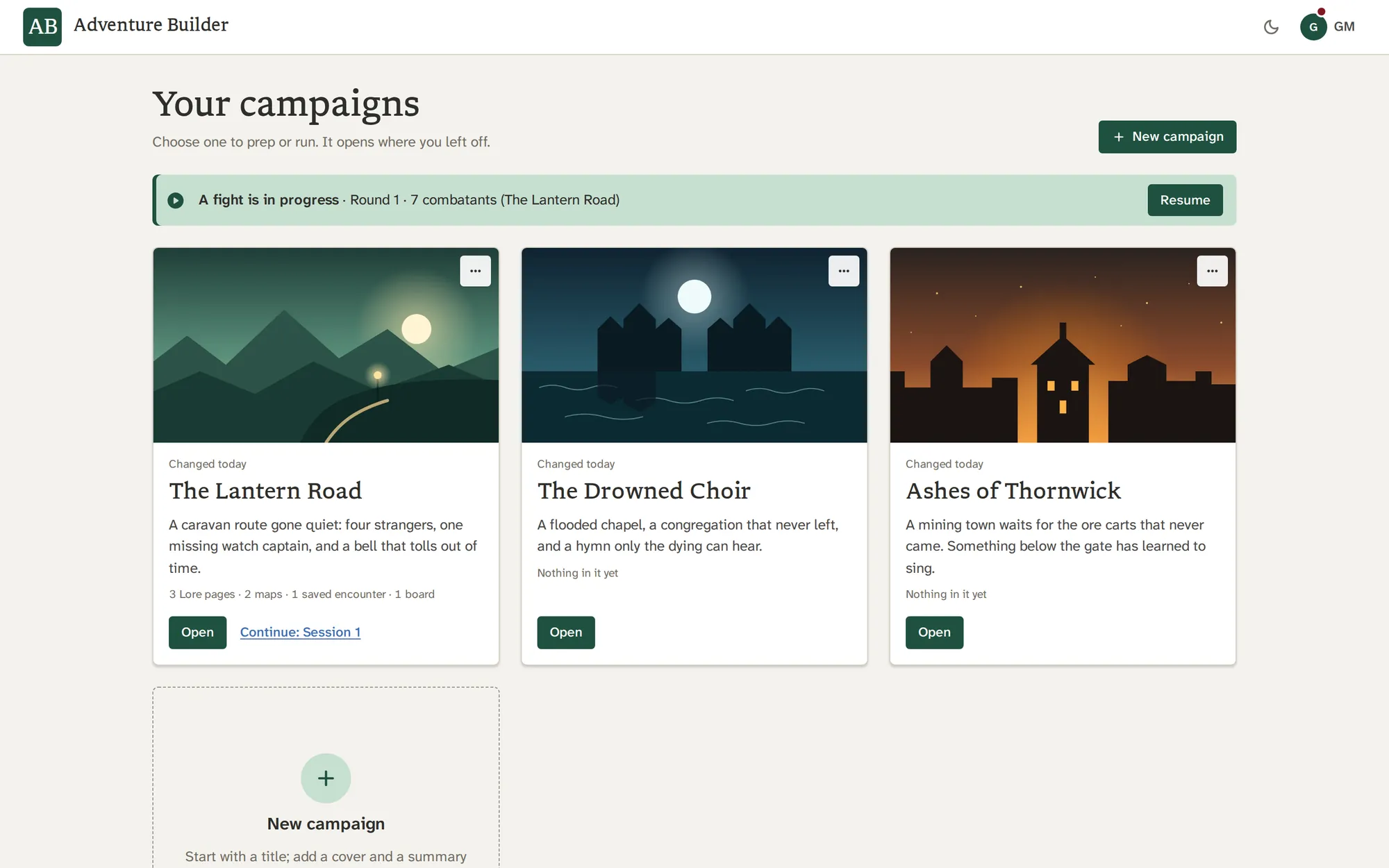
Yes. Campaign Home lays them out as cards. Each keeps its own party, maps, pages and boards, and the Library is shared by all of them.
Is Adventure Builder 5e and 5.5e compatible?
Yes. The Library holds 5e creatures and spells under both the 2014 and the 2024 (5.5e) rules, Encounters has a budget method for each, and the Builder sets a 5e creature's numbers for any challenge rating from 0 to 30.
Library
How many creatures and spells are in the Library?
9,284 records today: 5,684 creatures and 3,600 spells, across both systems. The count on this page is read from the app itself.
Where does the content come from?
From open-licensed rules material. Each record carries its source inside the app, and the Licences and credits page lists every source and its licence.
Can I add my own creatures and spells?
Yes. Build a creature in the Builder, start from any record with Use as template, fork a record with Edit a copy, or write one as JSON. What you add never overwrites a library record.
Do the dice formulas roll for me?
Click a modifier, an attack bonus or a damage formula in a stat block and it rolls. The Combat Tracker also has a dice tray for any roll you like.
Can I search the rules text?
Yes. Tick also search description text under the search box. Without it, the search matches names.
Does it convert a creature from one system to the other?
No. A creature stays in its own system, and the Library never converts or compares power across systems.
Can I keep notes on a creature?
Yes. Add notes and a portrait to any record. They belong to your account and sit beside the record, so the original is never edited.
Is the Library shared between my campaigns?
Yes. The whole Library, including your own creatures, spells, notes and portraits, is shared by every campaign, so a custom creature is made once.
Encounters
Which rules do the budgets use?
Both systems' own rules. For fifth edition you can pick the 2014 method, the 2024 method, or Quick build. The second system uses its own level-based budget.
How is difficulty decided?
It is the highest band the encounter's budget has reached, in every ruleset. The meter shows the budget, what you have spent and what is left.
What is Quick build?
A set of ready recipes for Hard encounters, for parties of four to six at levels 1 to 20. Your roster is checked against the recipes for its size.
Can I save an encounter and use it later?
Yes. Save encounter adds it to Saved encounters by name. From there you can edit it, send it to the Tracker, or pin it to the Board.
Does it work with creatures I built myself?
Yes. Custom creatures from the Builder join the roster like any other, with the rating you gave them.
What if my party is not four to six players?
The budget meter takes any number you type for players and level. Only Quick build's recipes are limited to four to six.
Does loading a saved encounter replace the fight I am running?
No. Loading adds to what is there. A player or NPC already in the Tracker is not added twice, and Undo takes the load back.
Builder
What can I build?
A creature for either system: fifth edition from challenge rating 0 to 30, the second system from level −1 to 25.
What do the roles do?
A role sets a band for each stat. A Brute soaks punishment and hits like a falling wall, but is easy to hit. A Soldier holds the front line: armored, accurate, hard to walk past. A Caster wins on saves and spell DCs rather than armor or a weapon, and a Mook is threatening in numbers only. You can change any band by hand.
Can I change the numbers after applying benchmarks?
Yes. Every field stays editable, and Apply benchmarks only fills what you ask it to.
Can I start from an existing creature?
Yes. Use as template on any Library record brings its whole record into the Builder as a new creature, and the original is untouched.
Where do my creatures go?
Save to Custom puts them in your library. They show under the Custom filter and can be used anywhere a Library creature can.
Will my creature replace a library one?
Never. A custom record cannot take a library record's id, and the server checks it.
Does the draft survive a reload?
Yes. It is kept with the session. New creature clears it.
Lore
Can I import my existing adventure?
Yes. Import Markdown files, one or many. Headings, lists, tables, code and callouts become blocks. A file too big for one page, up to 2.5 million characters, becomes a page with its chapters under it.
What happens to things Lore cannot read?
They come in as plain text where they were, and the report says so. Nothing is dropped.
Can my players see my Lore pages?
No. Players see only what you choose to show, one thing at a time, from the Board or Maps. A GM block is never offered to Read aloud.
Does Read aloud need anything?
Yes. It uses Voice, which runs on your own Gemini API key. Writing and importing need no key.
Can I get my pages back out?
Yes. Download writes a page as a Markdown file, with boxes as callouts and code as fences.
How many pages can a campaign hold?
200. The import dialog counts each file against that before it imports.
Do images in my files come along?
Lore never fetches a picture from a web address in a file. An image waits for its file, and the report tells you where it was in the original.
Is a pinned page a copy?
A whole-page card follows the live page. A block card keeps a snapshot until you press Refresh.
Combat Tracker
Everything about Combat Tracker
Does it roll initiative for me?
For creatures, yes: each rolls from the modifier on its record, and you can reroll or type a number. Players roll their own dice, so you type their results in the start dialog.
Does it track conditions?
No. It tracks initiative, rounds, hit points and markers. Conditions open as reference in the Library, and what they do at your table is your ruling.
What do my players see?
The turn order, with monsters masked as Enemy 1, Enemy 2 and so on until you reveal them, and Hurt, Bloody or Unconscious instead of hit points. See For your players.
Can I put it on a TV?
Yes. Press Display, or share the player link and open it on the TV. A laptop connected to the TV by a cable gives the sharpest picture. Casting a browser tab works, with a softer one.
What if a player joins mid-fight?
Add them. They show a dash for initiative and wait after everyone who has rolled, until you type their roll.
Can I undo a mistake?
Yes. Undo and redo cover damage, healing, turns, adds, removals and markers.
What happens if I close the tab in the middle of a fight?
The fight is saved with your session. Campaign Home offers it back with a Resume button.
Can I reorder the list?
Yes. Drag a card to a new place, for a tie or a delayed turn.
Board
Can my players see my board?
Only the card you choose to show, with Show players, and one thing at a time. Stop showing takes it back.
Does the Board stay in sync with Lore?
A pinned whole page follows the live page. A pinned block keeps a snapshot until you press Refresh. A note copied to Lore is a one-way copy.
Can I put music on the Board?
Yes. Add an audio card for a sound or a track, or a playlist card for a Sound playlist.
How many boards can I have?
Several in each campaign, one per session if you like. A board refuses new cards past its limit with a message.
Can I move a board to another account?
Export it as a zip with its images and audio, or download a campaign archive, and import it in the other account.
Does the Board work on a phone?
Yes. The add menu and the session list open as a Cards & sessions sheet at the bottom of the screen.
What kinds of cards are there?
Notes, images, audio, playlists, counters, dice, timers, checklists, random tables, and live cards for Library records and saved encounters.
Maps
Can my players move tokens?
No. Players only watch. They see the map, tokens, drawings and fog as you do, a second behind, and they never touch it.
Can I use my own battle map images?
Yes. Any image works as a map, and you set the grid to fit it.
Does it do hex and square grids?
Both. Pick the kind, the size, the offset, the number of columns and rows, and the orientation.
Which grid should I use?
Squares suit a cave, a dungeon or a street fight. Hexes suit a region, a coast or a long journey. Each map keeps its own grid, so one campaign can hold both.
Does it work on a tablet or phone?
Yes. Pinch zooms about your fingers, and a two-finger drag pans.
Can I take a map out?
Export it as a file to import again, or save the whole map as a PNG. Maps travel in your campaign archive with their images.
What do players see of a token?
Its icon, label and color. Never your portrait of its creature, and never its notes.
Do I need the player link to show a map?
Yes. Show players uses the campaign's player link, the same one the Combat Tracker uses.
Voice
What do I need to use Voice?
A Gemini API key of your own, from Google AI Studio. Add it in Settings, then Voice. Everything outside Voice works without one. See Your Gemini API key.
Who pays for it?
You do, to Google, directly. Adventure Builder never sees your bill. This month's usage is shown in Settings beside a link to your Google usage page, and it is never a limit.
Is my key safe?
It is stored encrypted, never shown back to you or anyone, and used only inside a request to Google. You can test it or remove it at any time, and deleting your account removes it.
What are Standard and Half price clips?
Standard makes a clip at once. Half price asks Google's spare capacity, costs half, and may take a few minutes. It needs a paid Gemini API key, since the free tier already costs nothing.
Can my players hear Voice on their phones?
No. Audio plays through your device and the table's speakers. Players' phones show the initiative, a map or a card, and receive no audio.
What voices are there?
30 studio voices, each with a one-word character and a sample, and regional voices with fantasy names and the accents they bring. Add a persona and a mood on top.
Can an NPC remember earlier sessions?
Yes. When you end and keep a conversation, a summary of it joins their memory as short facts in their own voice. You can correct or forget any of them.
Do I need a microphone?
Only to speak to an NPC. You can also type a line. Barge-in is off by default, so the mic waits while the NPC speaks, which suits a phone on the table.
Are these recordings of real people?
No. The voices are synthetic, generated from your text.
What about other languages?
An NPC answers in the language it is spoken to in, whatever accent its voice carries.
Sound
Can I upload my own music?
Yes. mp3, wav, ogg, m4a and flac, several at a time, or by dropping files on the Sound mode. Your sounds are on your account, so they are in every campaign.
Does the built-in music cost extra or use my storage?
It is ready for every game master and counts against no one's storage.
Who made the built-in music, and is it licensed?
Alexander Nakarada, under the Creative Commons Attribution 4.0 licence. Each track credits him, and the Licences and credits page lists the terms.
Can I loop a sound or a playlist?
Yes. A sound has a Loop switch and a playlist plays on a loop or once, in order or shuffled.
Does the music keep playing when I switch tools?
Yes. Sound plays on in every mode, and the Now playing panel shows what is on.
Can my players hear it?
No. It plays through your device. Players' phones receive no audio.
Can I find a track by mood?
Yes. Filter by Feel, such as tense, mysterious or relaxed, and by Style, and search names, titles and tags.
Still wondering?
Make a campaign and try it. Nothing you add leaves your account until you choose to show it.