- Home
- For your players
At the table
Your players see what you choose to show.
Share one link per campaign. Players open it on a phone, a tablet or the TV. There is nothing for them to install and no account to make, and they see only what you put on screen.
Try it
You see everything. They see what you choose.
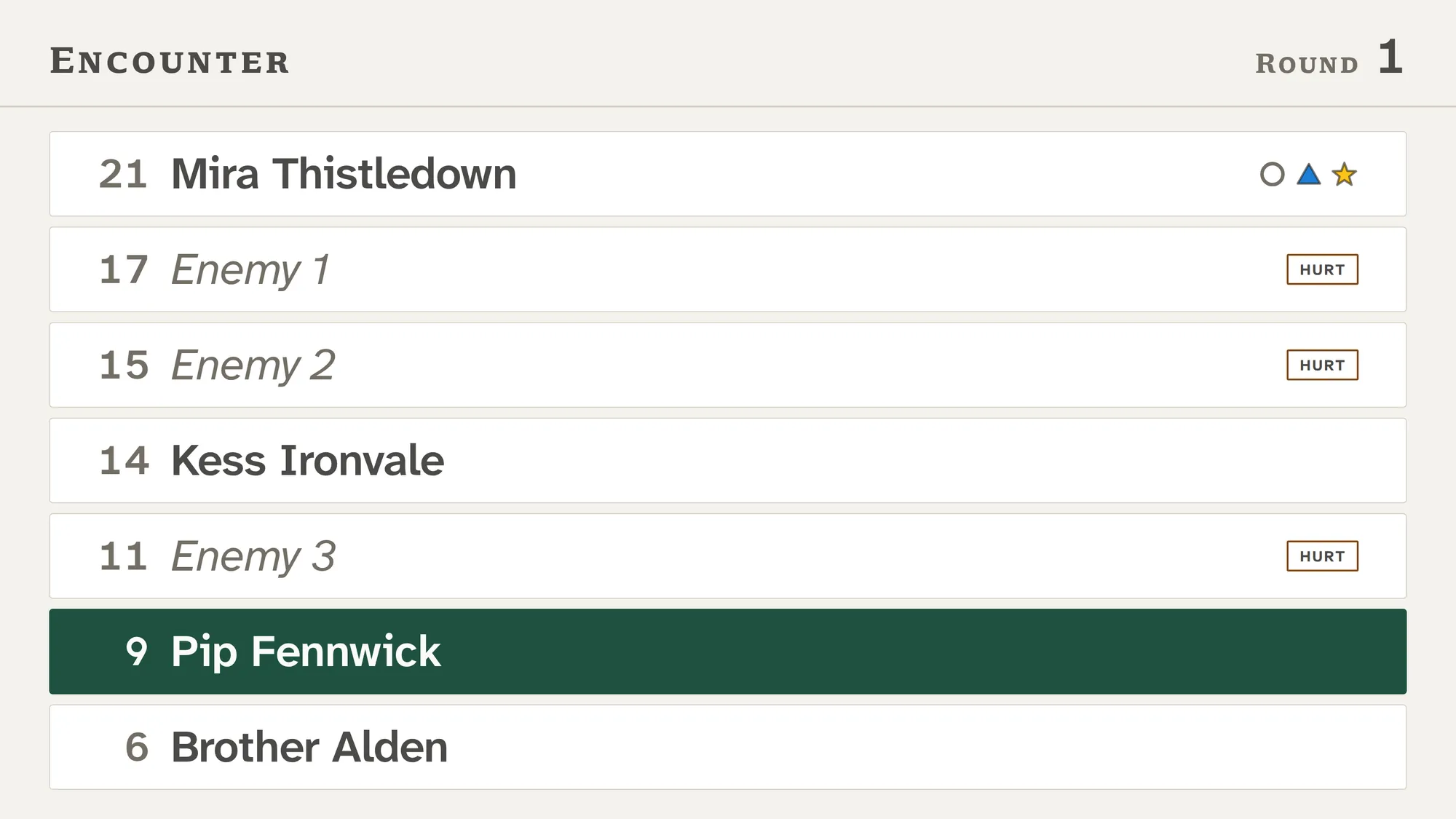
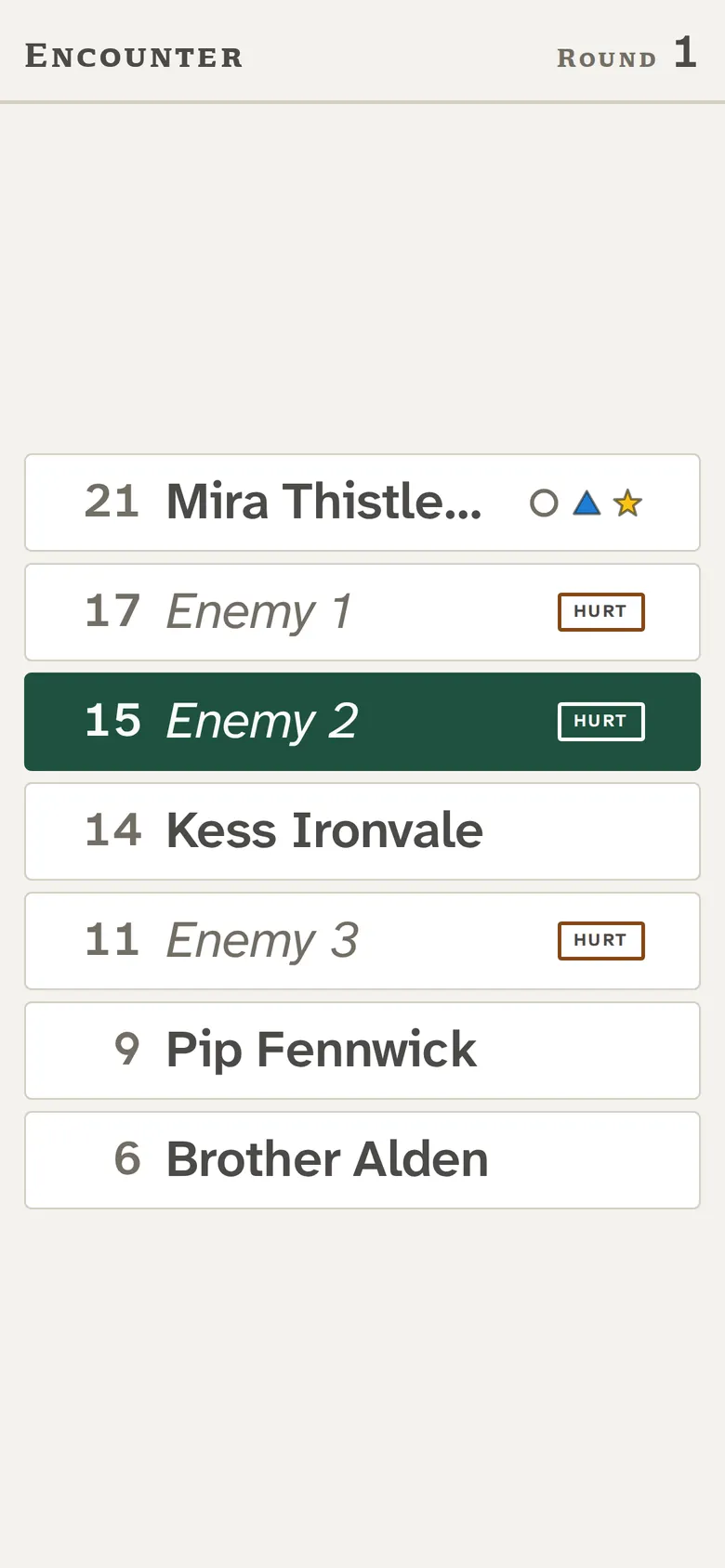
Reveal a monster, hit it, and press Next turn. The right side is what a player's phone shows.
How it works
One link, four ways to show.
One link, no accounts
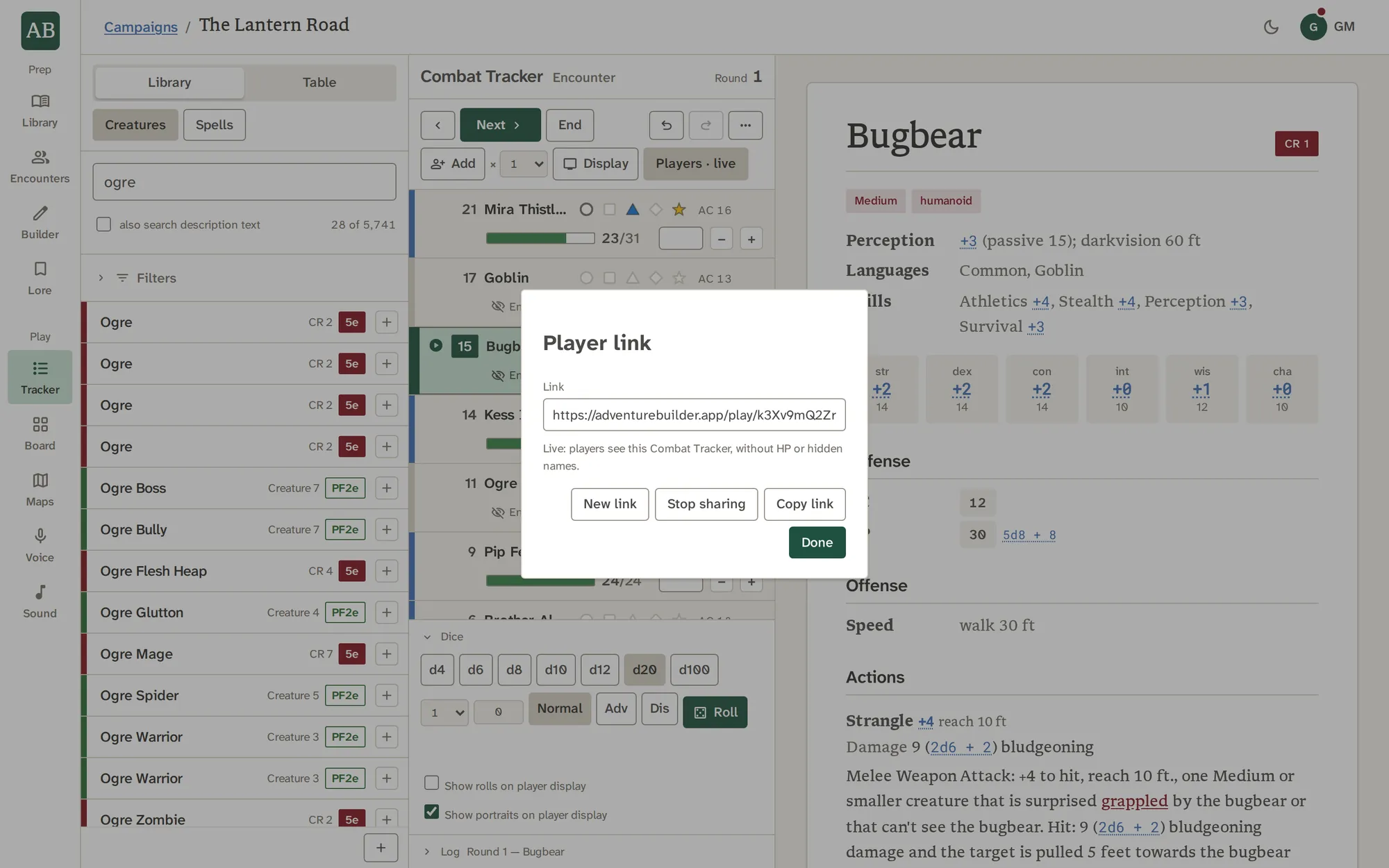
Press Players in the Combat Tracker, then Share with players. You get a link for the campaign. Anyone who opens it follows along, and you can copy it, stop sharing, or make a new link, which retires the old one.
- Sharing again comes back on the same link
- Switching campaign pauses it, and coming back resumes it
- The TV can open the same link
Initiative, with monsters masked
By default players see the turn order. Monsters appear as Enemy 1, Enemy 2 and so on until you press the card's reveal, and the active row is filled in the turn color, the only turn cue. Players and NPCs show by name.
- Markers show, and hit points never do
- Hurt, Bloody or Unconscious says how a monster is doing, in a word
- A masked monster shows no portrait until it is revealed
A map, a note, an image: one at a time
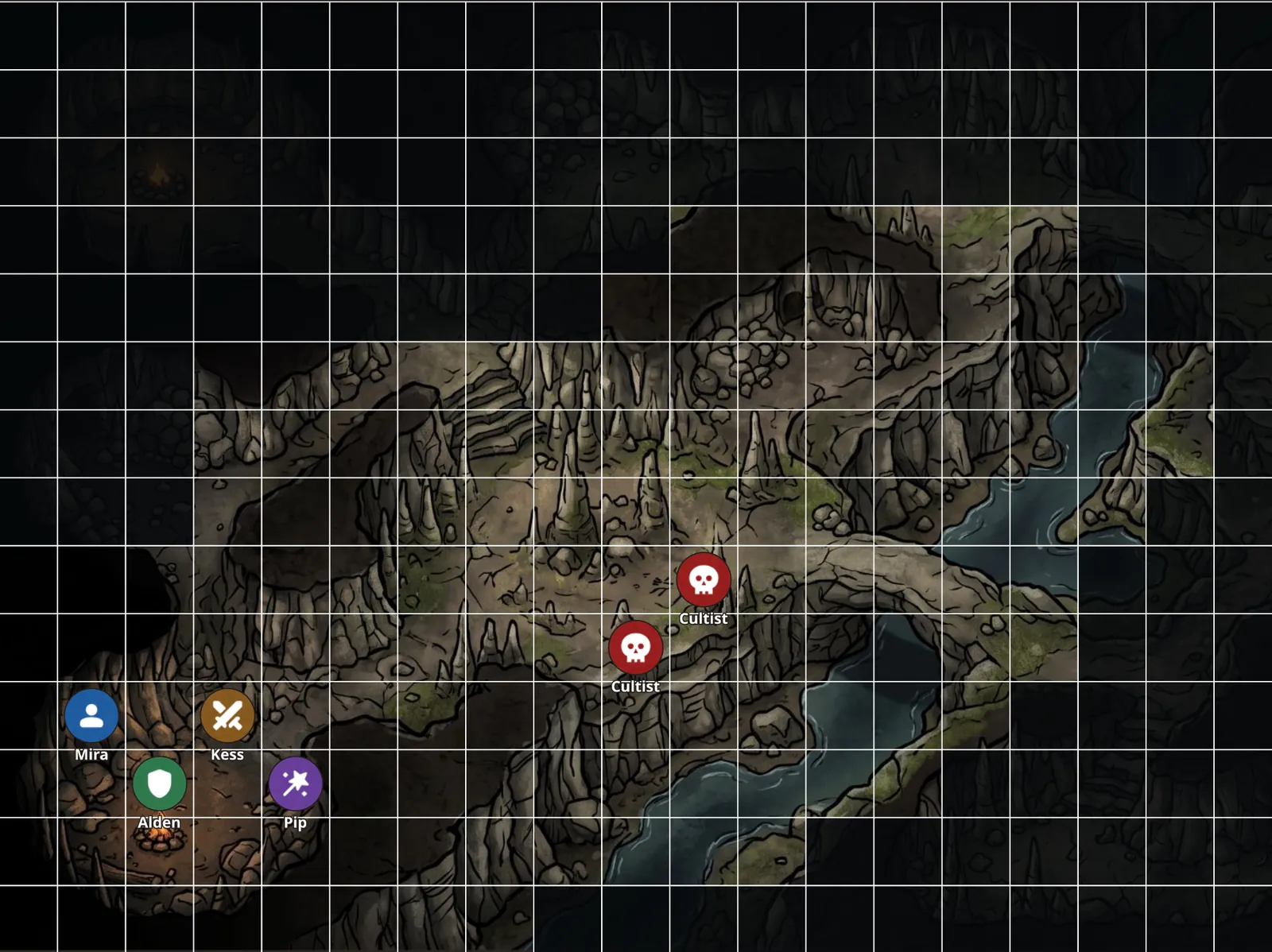
Press Show players in Maps and the open map goes out as it last saved, about a second behind you, with your tokens, drawings and fog at your own opacity, following your camera. A Board image or note goes out from its card's Show players.
- Stop showing takes it back to the turn order
- Players see a token's icon, never its notes
- One thing shows at a time
Built for the TV
The TV display is a plain board with paper rows, sized by one layout decision for the screen and the roster, and nothing animates, because a tab cast to a TV freezes on animation. Every combatant is always on the board, so the list shrinks to fit instead of scrolling.
- One column up to eight creatures, two from the ninth
- A laptop connected to the TV by a cable gives the sharpest picture
- Without a link, Display opens the same board in a second tab
Questions
About the player view.
Do my players need an account or an app?
No. They open a link in a browser, on a phone, a tablet or the TV. They never log in.
Can players see hit points?
Never. They see Hurt, Bloody or Unconscious for a monster, and nothing for a player character.
Can players move tokens or roll in the app?
No. Players only watch. They do not interact with the app, and there is no audio on their devices.
Can my players hear Voice or the music?
No. Audio plays through your device and your table's speakers, never on theirs.
What if I want to hide a monster's real name?
It is hidden by default. A monster shows as Enemy 1, Enemy 2 and so on until you reveal it from its card.
Can I take the link back?
Yes. Stop sharing ends it, New link retires the old link, and a copied link stops working once you do.
Can I use it on a TV?
Yes. Open the player link on the TV, or press Display to open the board in a second tab. A laptop connected to the TV by a cable gives the sharpest picture.
Can players see my Lore, my notes or my map when I do not show them?
No. Only the one thing you are showing is sent, and a link carries a view, never a copy of your campaign.
Put the table on the TV.
Share the link, open it on a phone or a screen, and show only what you choose.