Play · Combat Tracker
Run combat without the bookkeeping.
Initiative, rounds, hit points, markers and dice in one place, with undo for every slip. Creatures you add from the Library arrive with their own armor class, hit points and initiative bonus.
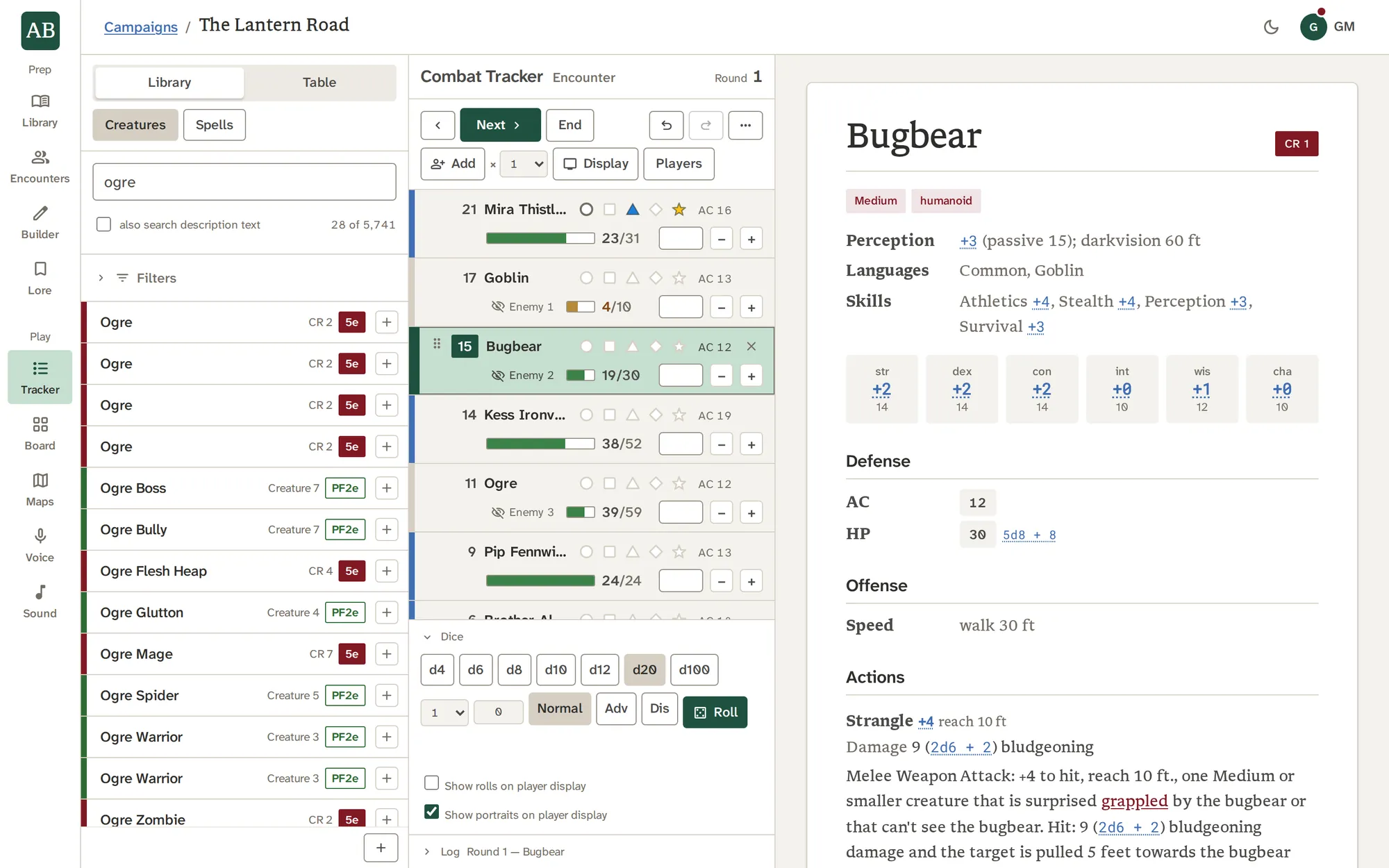
What it does
What it does, one piece at a time.
Initiative and turns
Start combat and each creature rolls its own initiative from the modifier on its record. Players roll their own dice, so you type their results in the start dialog. Next and Previous walk the order across rounds, and a line marks the end of each one.
- Drag a card to reorder the list
- A creature added mid-fight rolls in; a player added mid-fight waits, shown as a dash, until you type their roll
- Remove whoever's turn it is, and the turn passes on as Next would
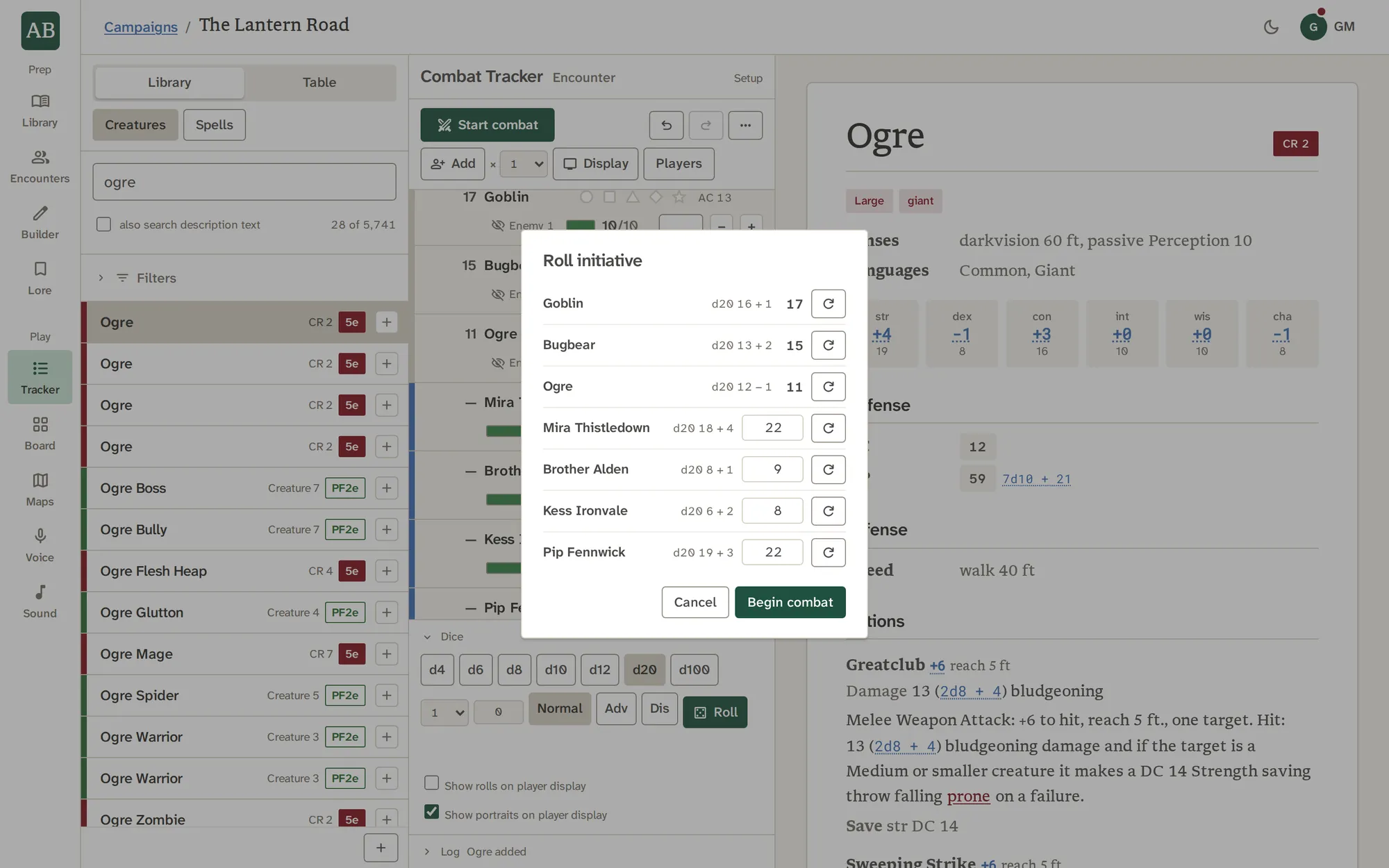
Hit points at a glance
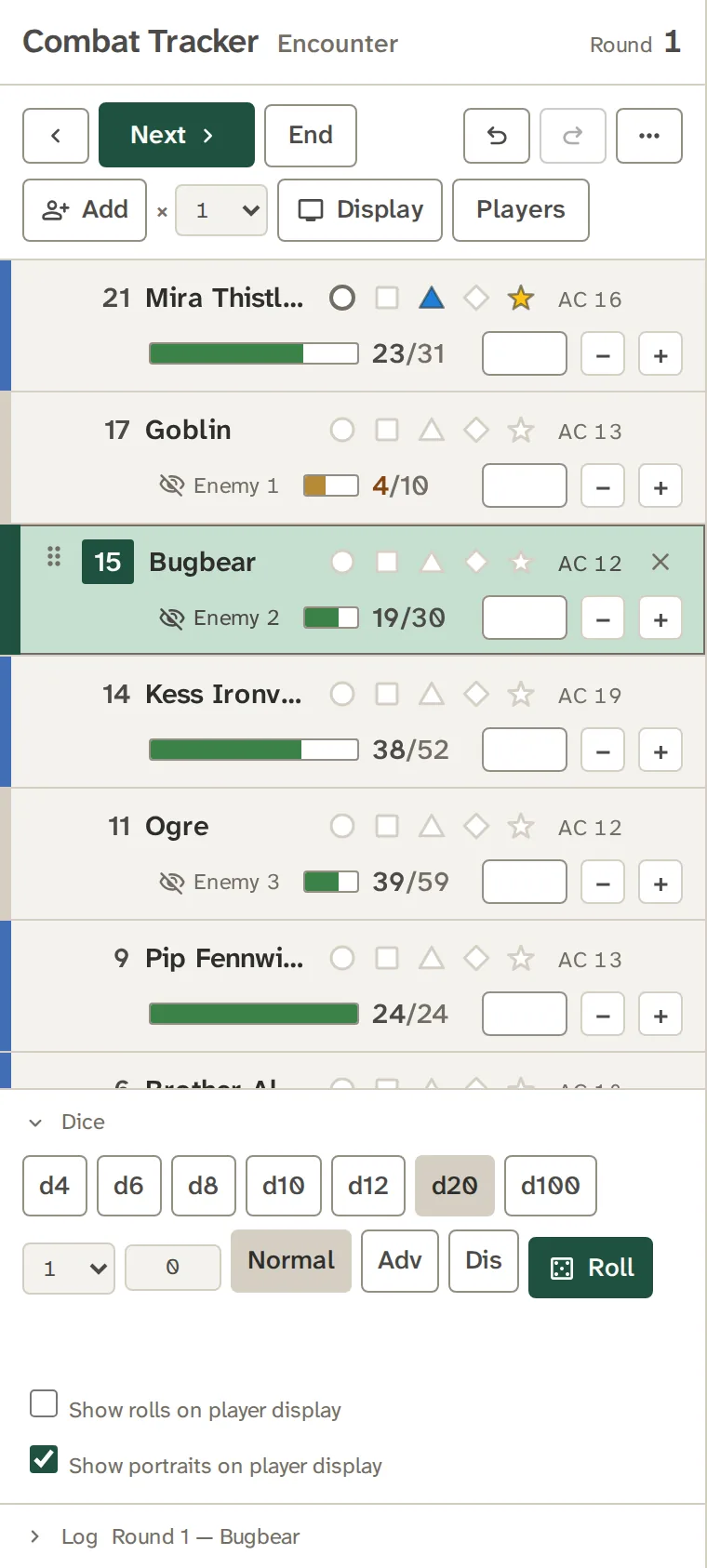
Each card shows hit points as a large number, colored by how hurt the creature is, beside a small bar. Type an amount and press minus or plus. The current turn takes a spruce tint across its row, with a bar at its edge.
- A creature at 0 folds to a struck-out name until you open it
- A player's maximum may be left blank, for a table that does not track it
- Undo and redo take back any change

Markers for what matters
Five markers, each a different shape and color (circle, square, triangle, diamond, star), solid or outlined, mark whatever your table needs. They show on the players' display too, and a shape never relies on its color alone.
- Your table's own shorthand, with no fixed legend
- Mirrored on the player display
- Reference only: conditions and effects stay your rulings

Dice without leaving the fight
A tray from d4 to d100, with advantage or disadvantage and a modifier, sits under the list. Click any formula in a stat block and it rolls. A short log keeps the last few things that happened.
- Roll for a creature straight from its sheet
- The log folds under the dice, and shows its newest line
- Reset and Clear wait behind the three-dot menu
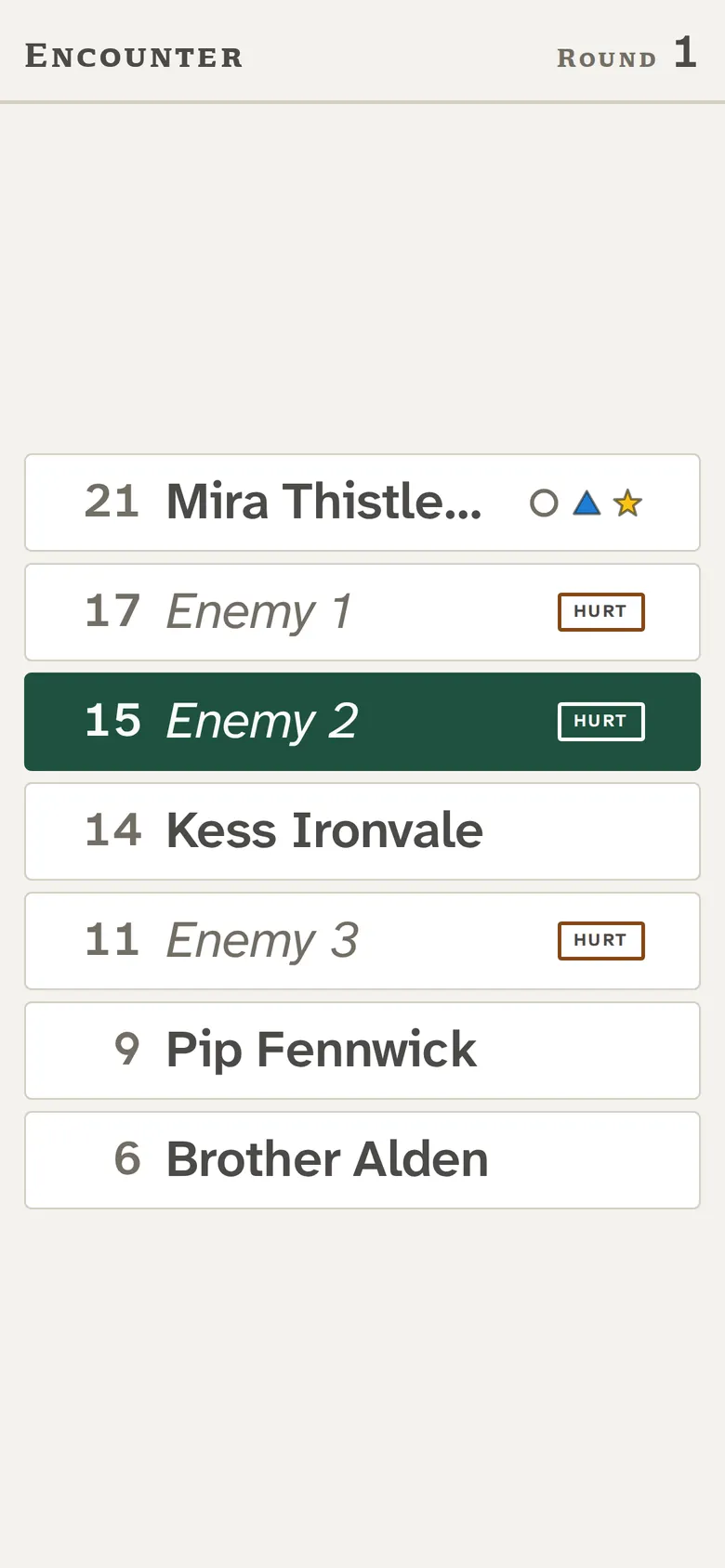
What the players see
Press Display, or share the campaign's player link, and the turn order appears on the TV or on players' phones. Monsters read Enemy 1, Enemy 2 and Enemy 3 until you reveal them. Players see Hurt, Bloody or Unconscious, and never a hit point number.
- Markers appear too, never hit points
- The display is static by design, so a cast to a TV stays sharp
- Portraits show beside names once a monster is revealed
See it work
The turn moves. The hurt show.
Damage lands on a card, the bar drops, and the highlighted row follows Next. Click any dice formula and it rolls.
With the other tools
Where the work goes next.
Good to know
What it does not do.
- The Tracker keeps state and reports what happened. Conditions, effects and rulings stay yours.
- Players only watch. They do not roll or interact in the app.
- The log keeps the last few things in memory and clears on a reload.
Questions
About Combat Tracker.
Does it roll initiative for me?
For creatures, yes: each rolls from the modifier on its record, and you can reroll or type a number. Players roll their own dice, so you type their results in the start dialog.
Does it track conditions?
No. It tracks initiative, rounds, hit points and markers. Conditions open as reference in the Library, and what they do at your table is your ruling.
What do my players see?
The turn order, with monsters masked as Enemy 1, Enemy 2 and so on until you reveal them, and Hurt, Bloody or Unconscious instead of hit points. See For your players.
Can I put it on a TV?
Yes. Press Display, or share the player link and open it on the TV. A laptop connected to the TV by a cable gives the sharpest picture. Casting a browser tab works, with a softer one.
What if a player joins mid-fight?
Add them. They show a dash for initiative and wait after everyone who has rolled, until you type their roll.
Can I undo a mistake?
Yes. Undo and redo cover damage, healing, turns, adds, removals and markers.
What happens if I close the tab in the middle of a fight?
The fight is saved with your session. Campaign Home offers it back with a Resume button.
Can I reorder the list?
Yes. Drag a card to a new place, for a tie or a delayed turn.
Try Combat Tracker on your own campaign.
Run combat without the bookkeeping.