Play · Board
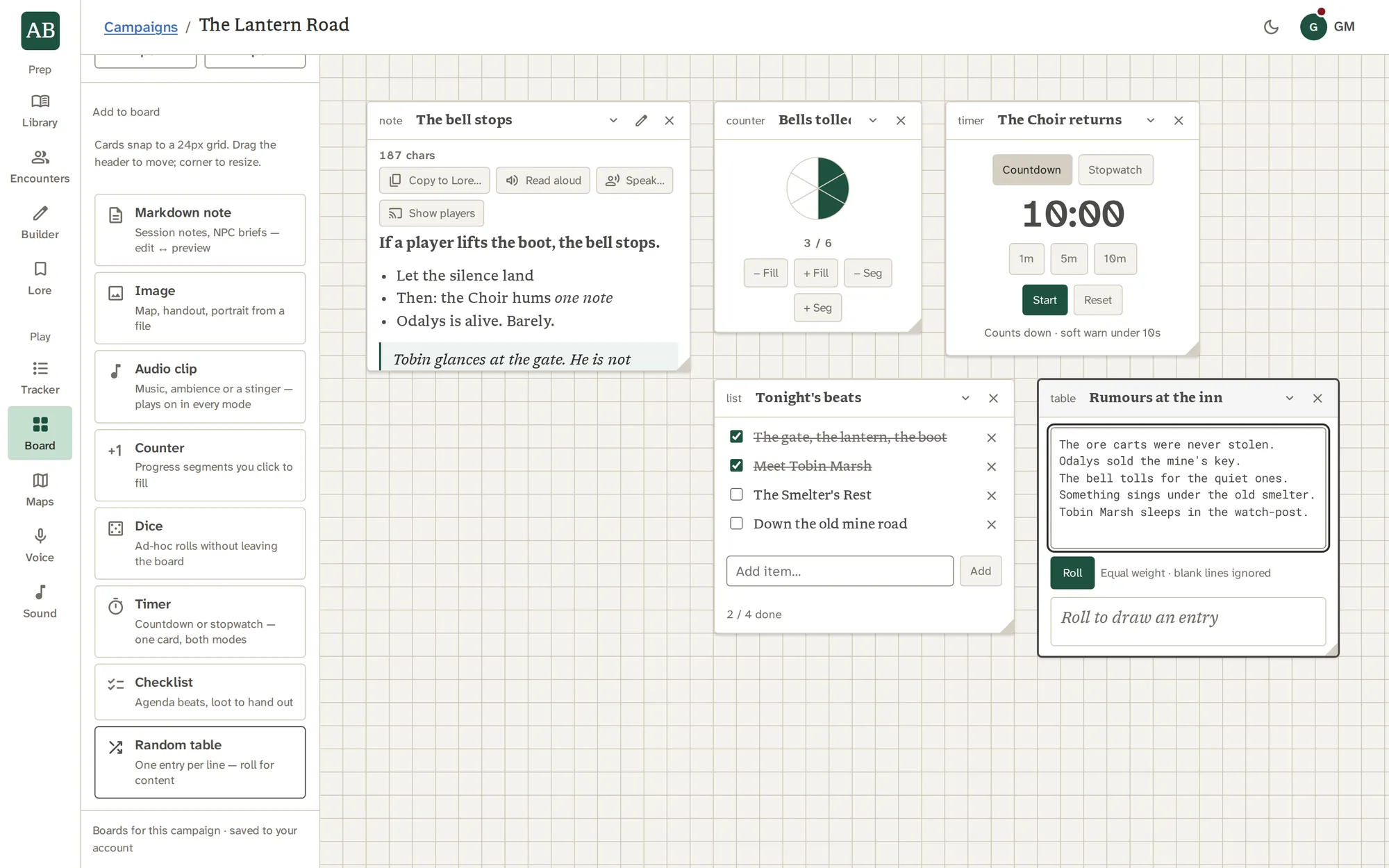
Tonight's table, laid out.
A free-form board of notes, timers, counters, checklists, random tables, images and audio. Keep one per session, pin passages from Lore, and show a card to your players with a click.
What it does
What it does, one piece at a time.
Cards that do things
A counter fills segments as a clock does. A timer counts down or up. A checklist keeps tonight's beats. A random table rolls an entry from your list, one per line. A dice card rolls what you type.
- Cards snap to a grid, and drag and resize from the header and corner
- Move one from the keyboard, with arrow keys and Shift
- A new card goes to the first free spot in view
Notes with a voice
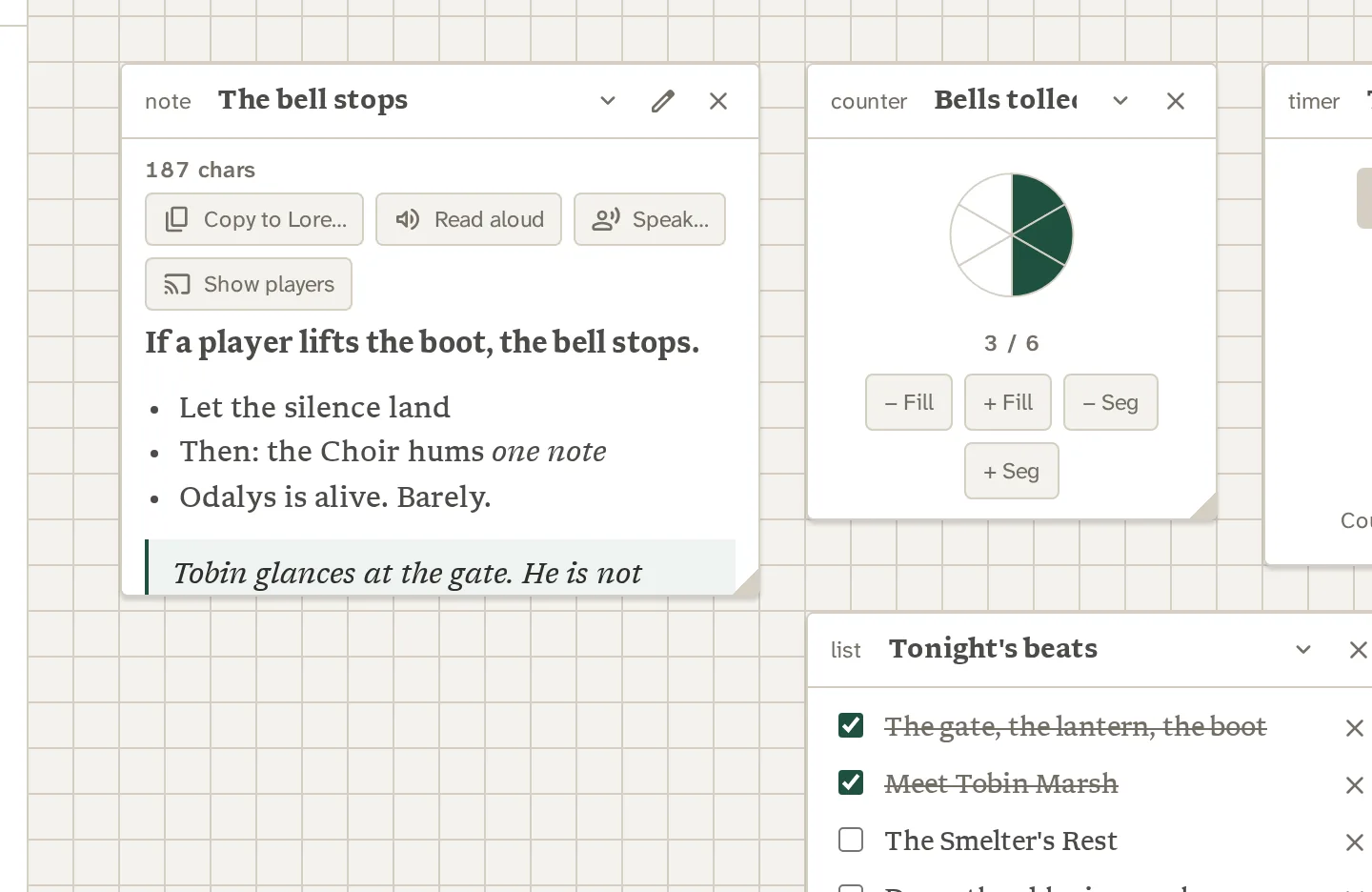
A note is Markdown, with a live preview: tables, read-aloud blockquotes and links. From the card you can Copy to Lore…, Read aloud, Speak… or Show players.
- The copy to Lore is one way: the note stays, and nothing syncs afterward
- Read aloud and Speak use Voice
- Show players puts the note, as the Board draws it, on the players' screens
Pinned from Lore
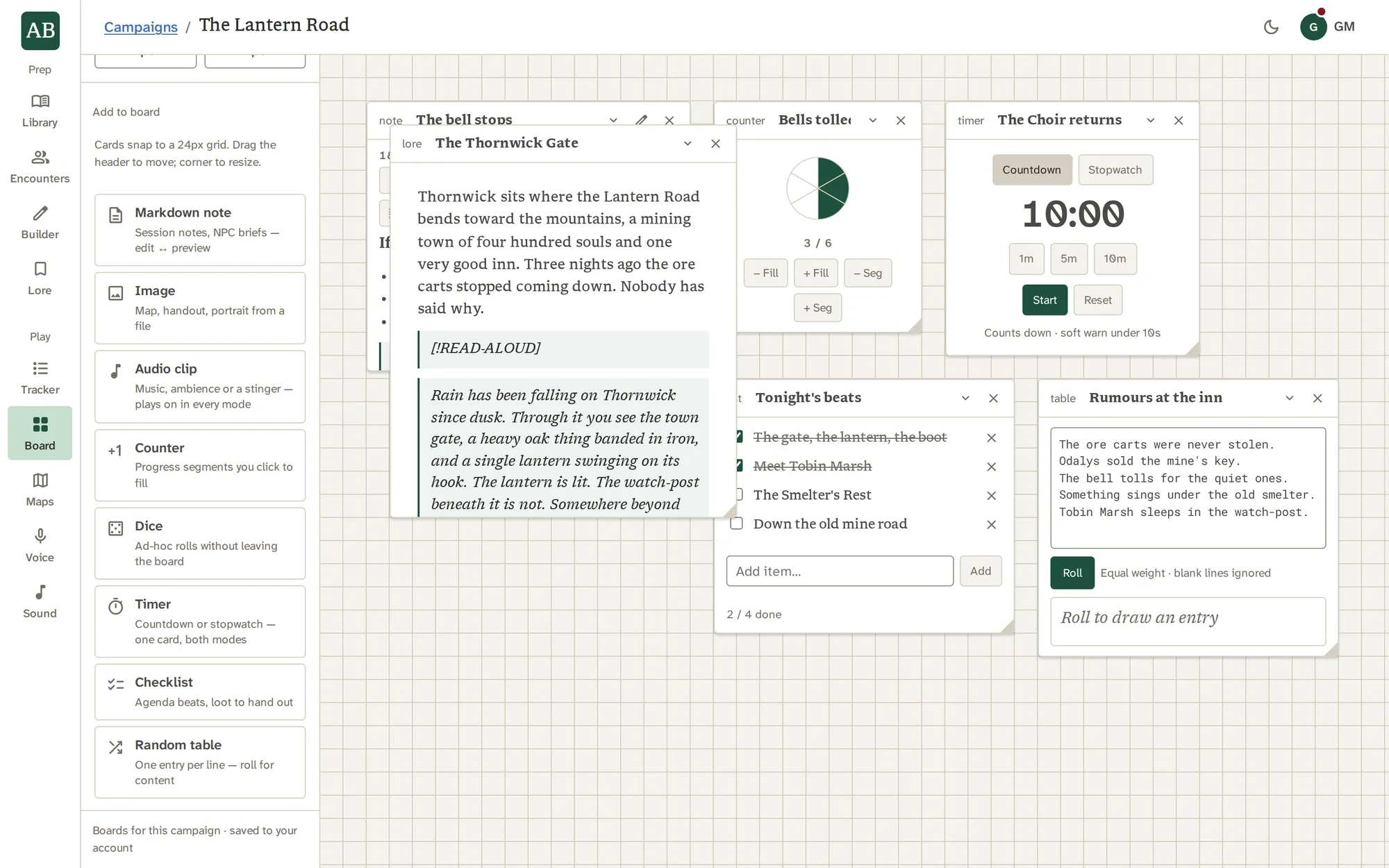
Pin a whole page or chosen blocks from Lore without leaving it. A page card follows the live page. A block card keeps a snapshot until you press Refresh.
- Library creatures and spells become live record cards, never stale copies
- A saved encounter becomes a card with its roster and Tracker and Edit buttons
- A removed custom creature shows a notice, not an old copy
Sound on the table
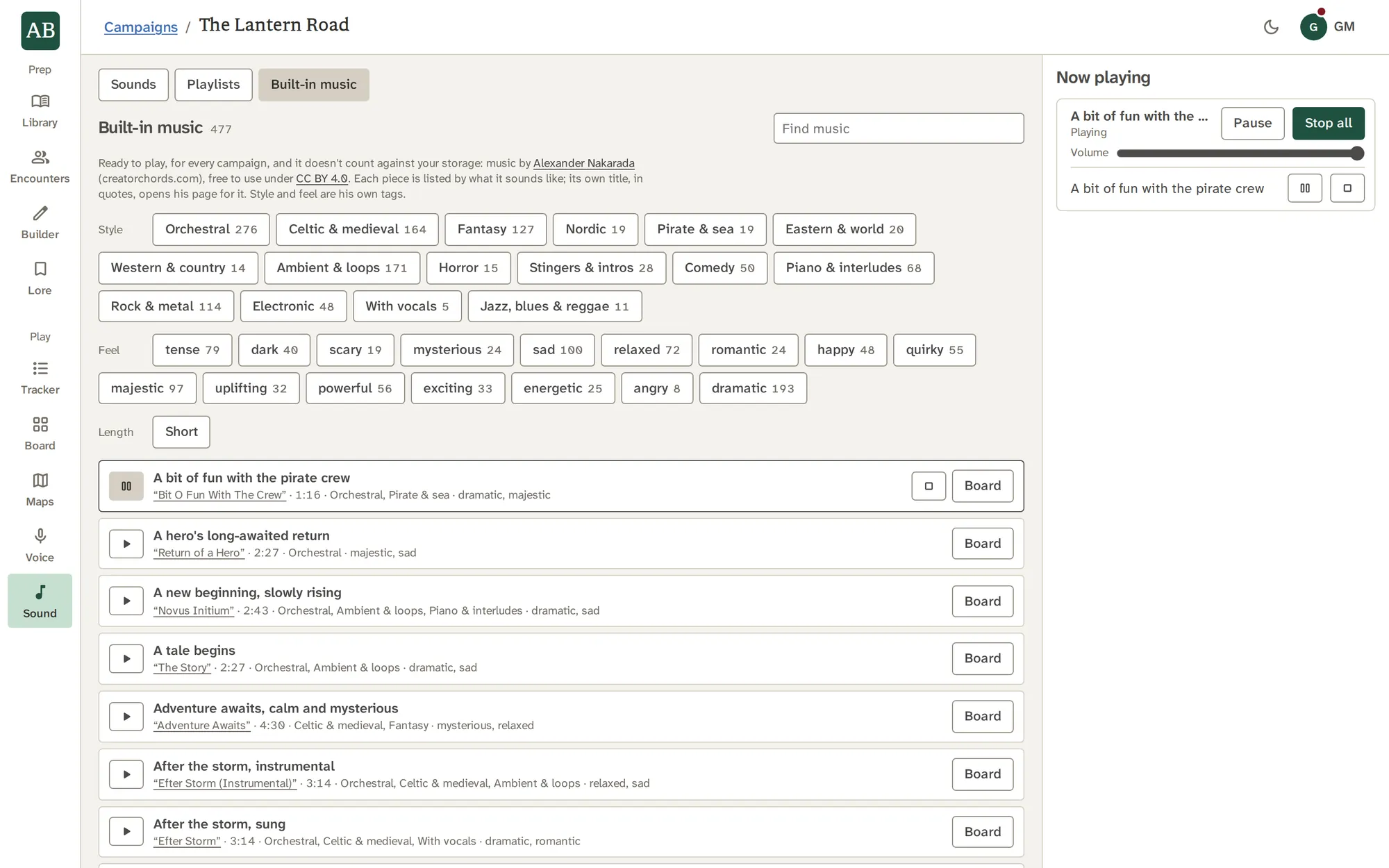
Audio cards play a sound or a track, and playlist cards play a Sound playlist. The Now playing bar sits at the foot of the Board with pause, stop and a master volume.
- Sound plays on in every mode, so you can leave the Board
- A live Talk pauses it, and removing the card stops it
- Volume is kept on this device
Sessions, and on a phone
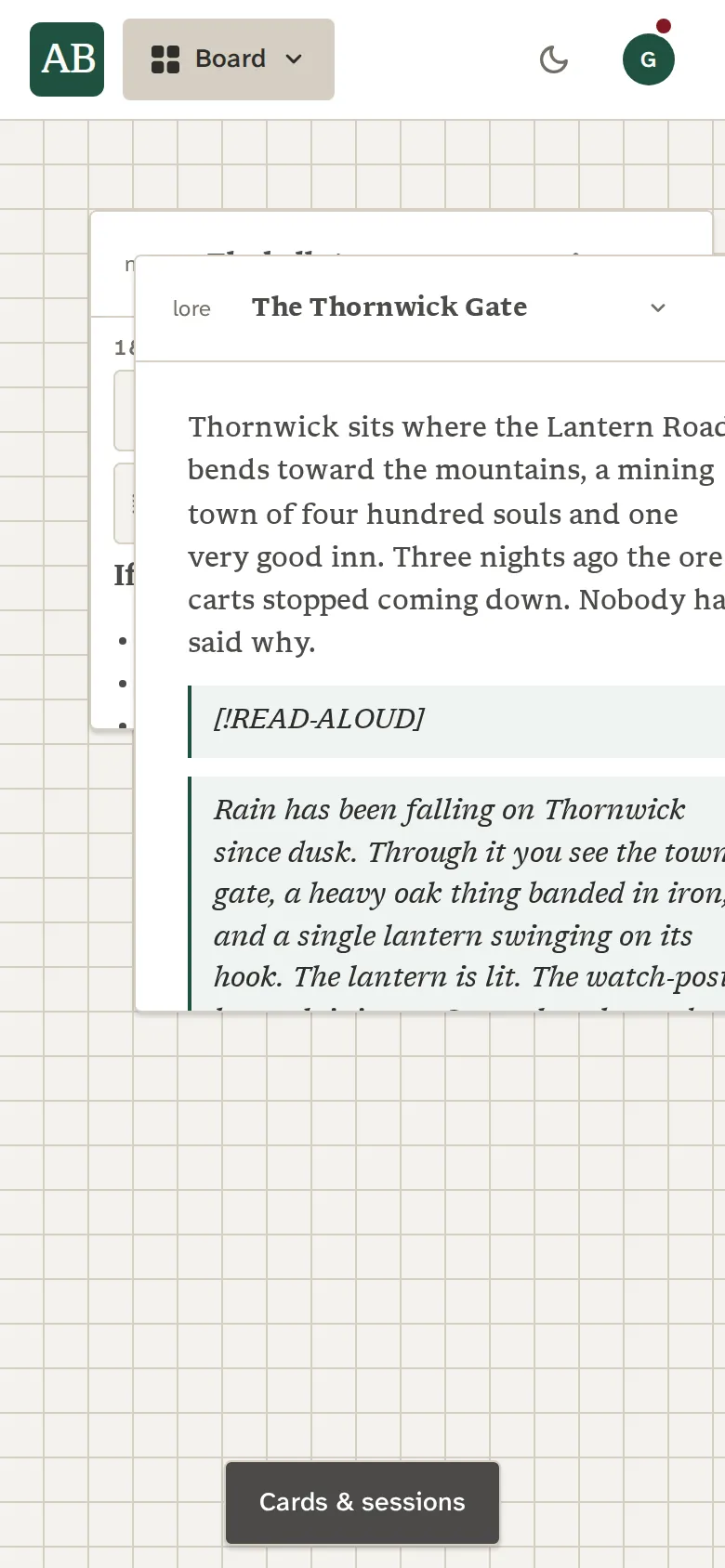
Keep a board for each session, and export one as a zip file, media included. On a phone, the cards and sessions open as a bottom sheet.
- Boards belong to the campaign
- Card and board limits stop with a message, never a loss
- Boards travel in saves and archives
See it work
Beats get ticked off. Timers run down.
Cards do small jobs of their own, so the board is something you play with, not a page you reread.
With the other tools
Where the work goes next.
Good to know
What it does not do.
- One thing shows to players at a time: a map, an image or a note.
- There is no automatic capture of session notes into Lore. A copy is yours to make.
Questions
About Board.
Can my players see my board?
Only the card you choose to show, with Show players, and one thing at a time. Stop showing takes it back.
Does the Board stay in sync with Lore?
A pinned whole page follows the live page. A pinned block keeps a snapshot until you press Refresh. A note copied to Lore is a one-way copy.
Can I put music on the Board?
Yes. Add an audio card for a sound or a track, or a playlist card for a Sound playlist.
How many boards can I have?
Several in each campaign, one per session if you like. A board refuses new cards past its limit with a message.
Can I move a board to another account?
Export it as a zip with its images and audio, or download a campaign archive, and import it in the other account.
Does the Board work on a phone?
Yes. The add menu and the session list open as a Cards & sessions sheet at the bottom of the screen.
What kinds of cards are there?
Notes, images, audio, playlists, counters, dice, timers, checklists, random tables, and live cards for Library records and saved encounters.