Prep · Lore
Write the adventure once. Run it from the same page.
Lore holds your adventure as pages of blocks: boxed read-aloud text, notes for your eyes only, tables, lists and stat blocks. Import what you already have, and pin any passage to tonight's Board.
What it does
What it does, one piece at a time.
Pages that read like pages
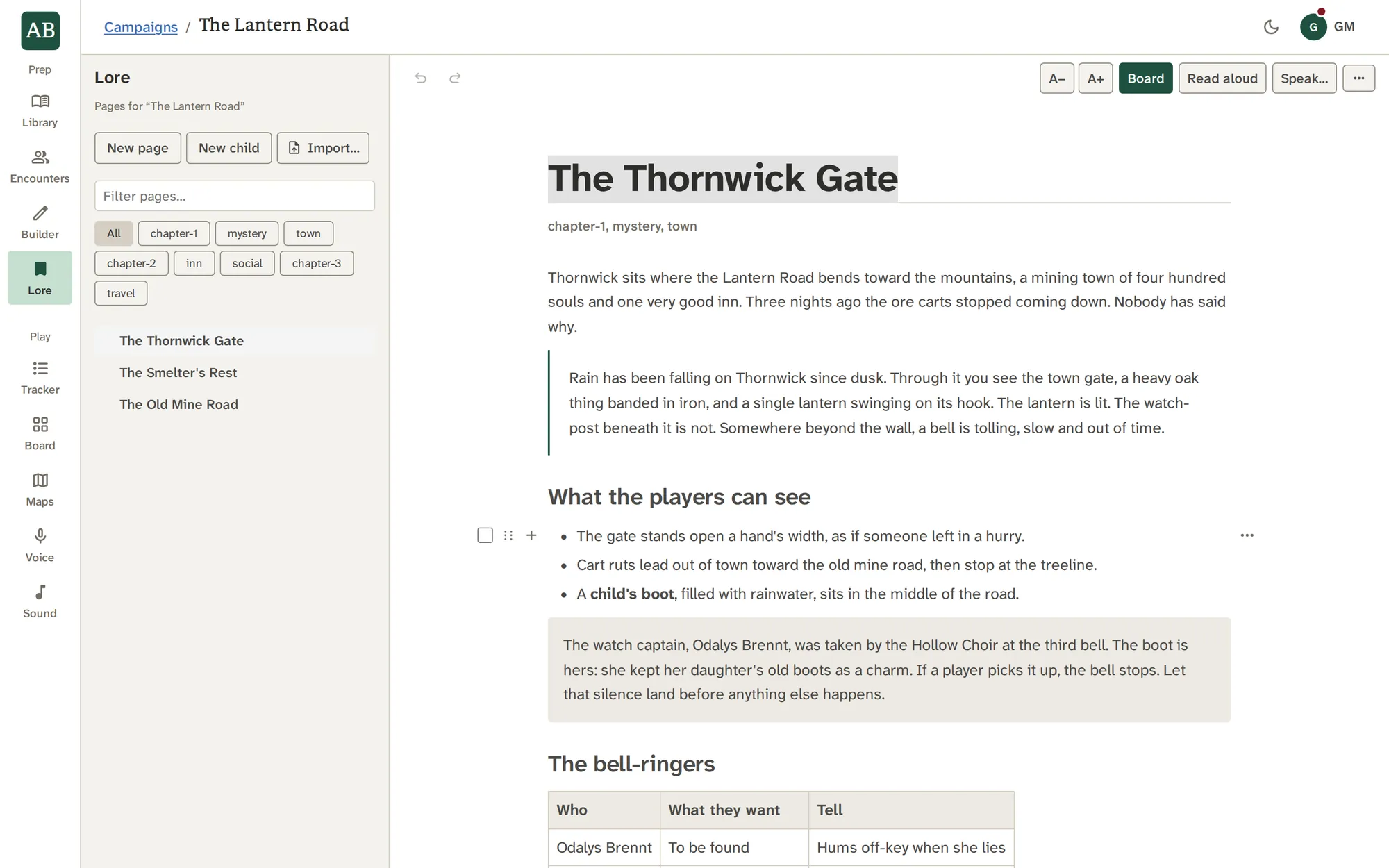
A page is one continuous document edited in place: click anywhere and type, select across blocks. The title is the heading, the tags sit in a quiet line under it, and the text runs in a centred column.
- Full width gives a wide table the whole pane, per page
- A− and A+ set the text size from 90% to 140%, and the column widens with it
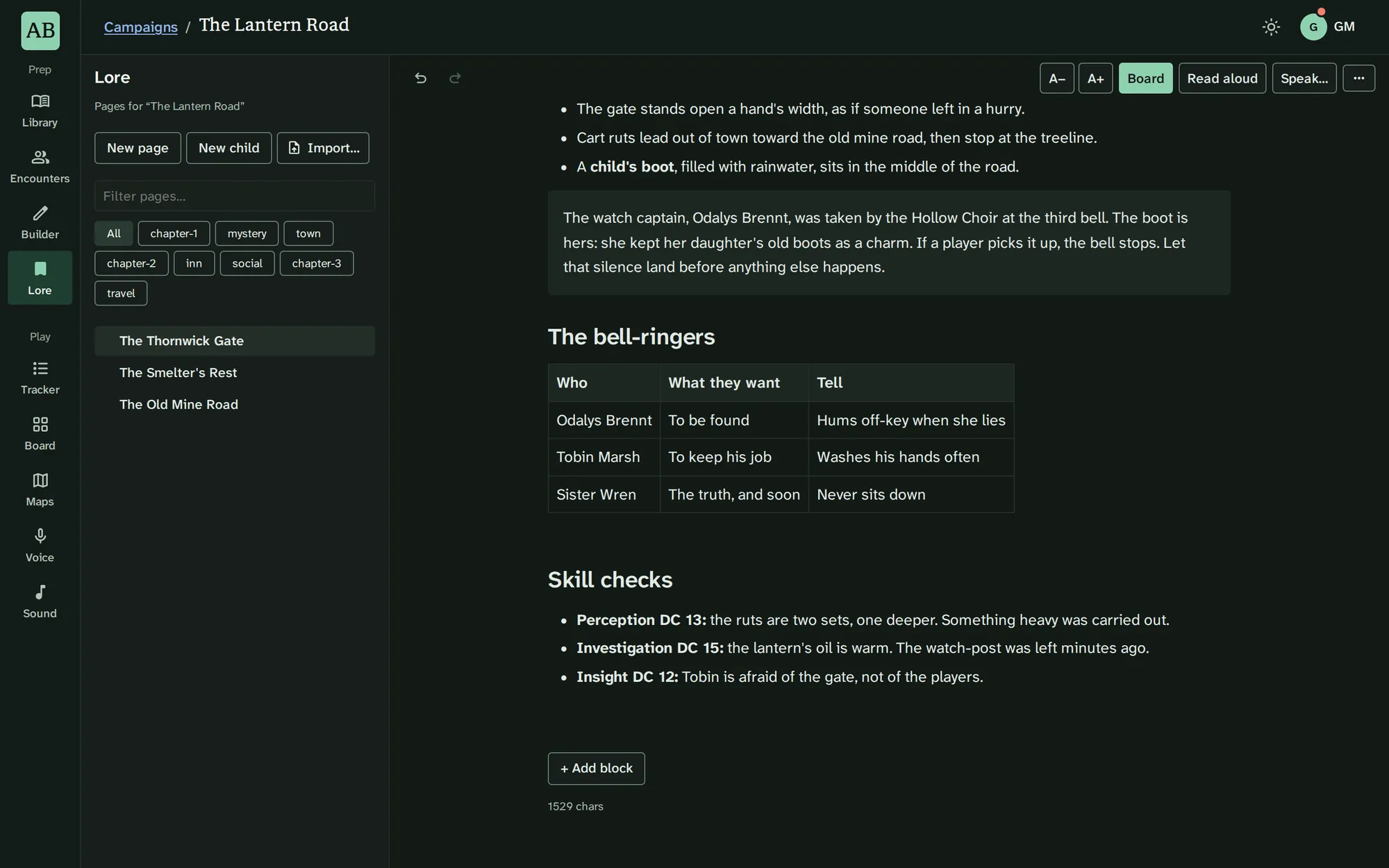
- White in the light theme, a neutral near-black in the dark one
Blocks with jobs
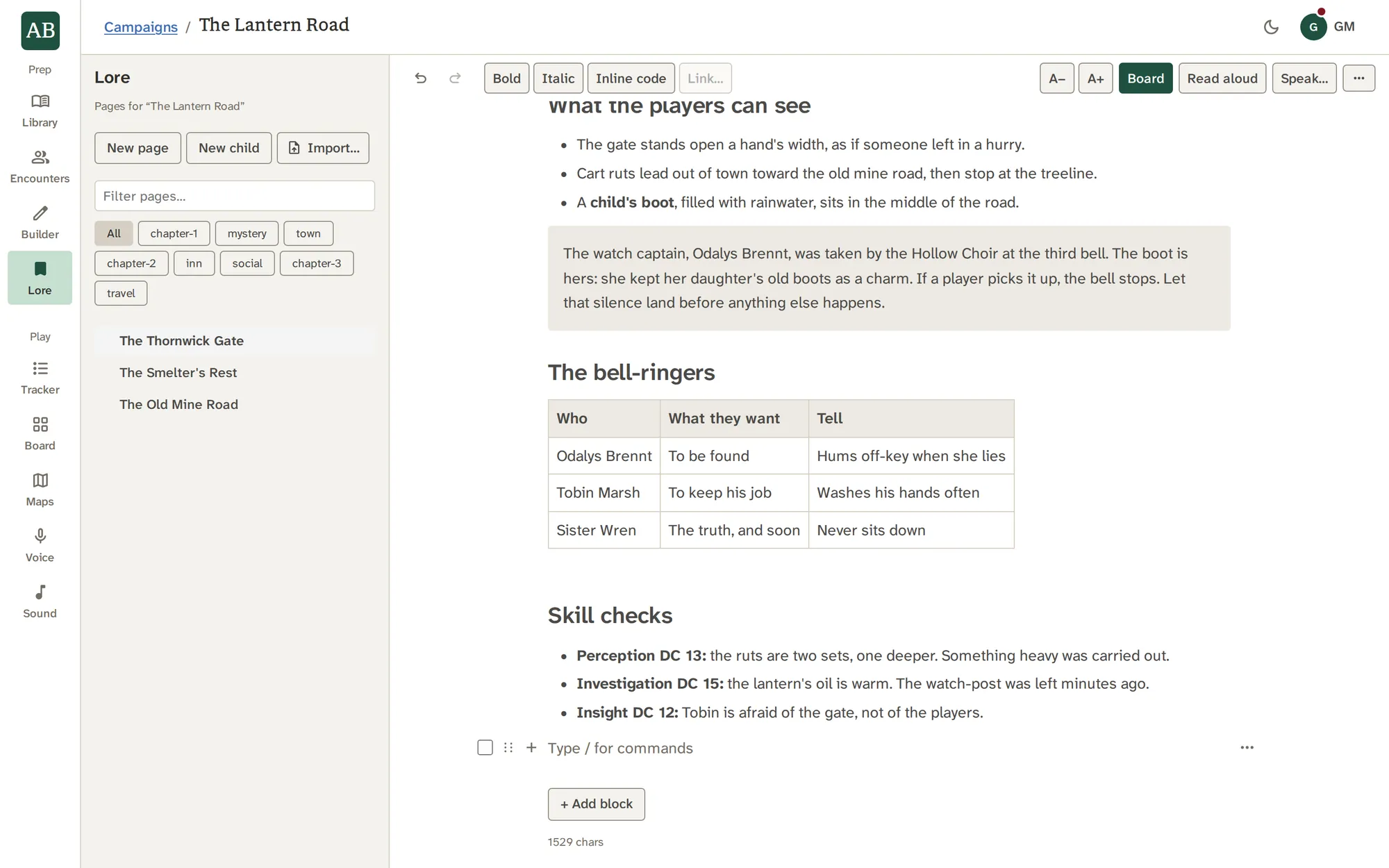
Read-aloud text, GM notes, tables, lists, headings, callouts and stat blocks are separate blocks, so private text stays private. Type a slash, or press Add block, to choose one.
- Each block has its own controls beside it
- Keyboard editing, undo and redo, and selecting across blocks
- Pin a whole page or chosen blocks to the Board
Import what you have
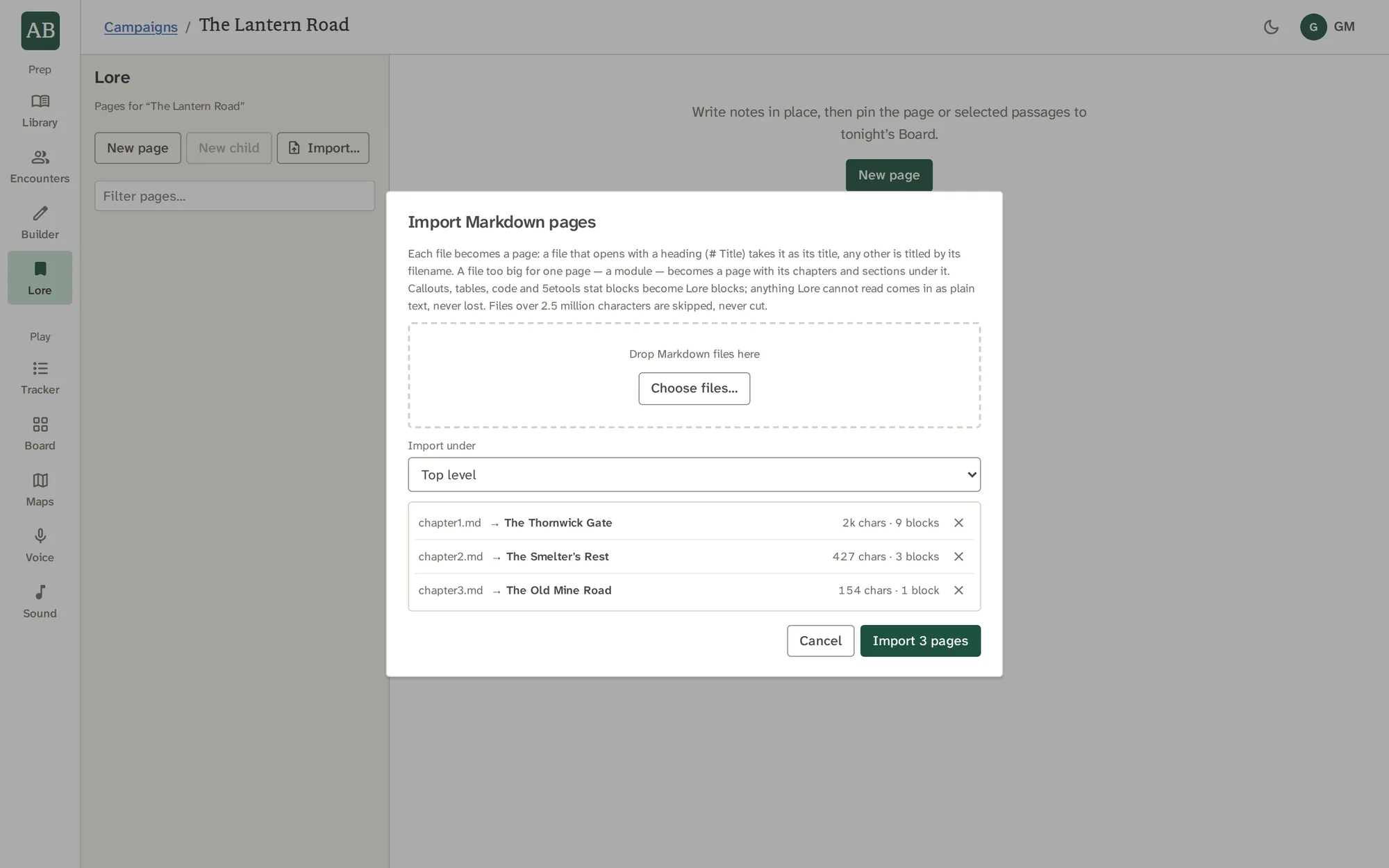
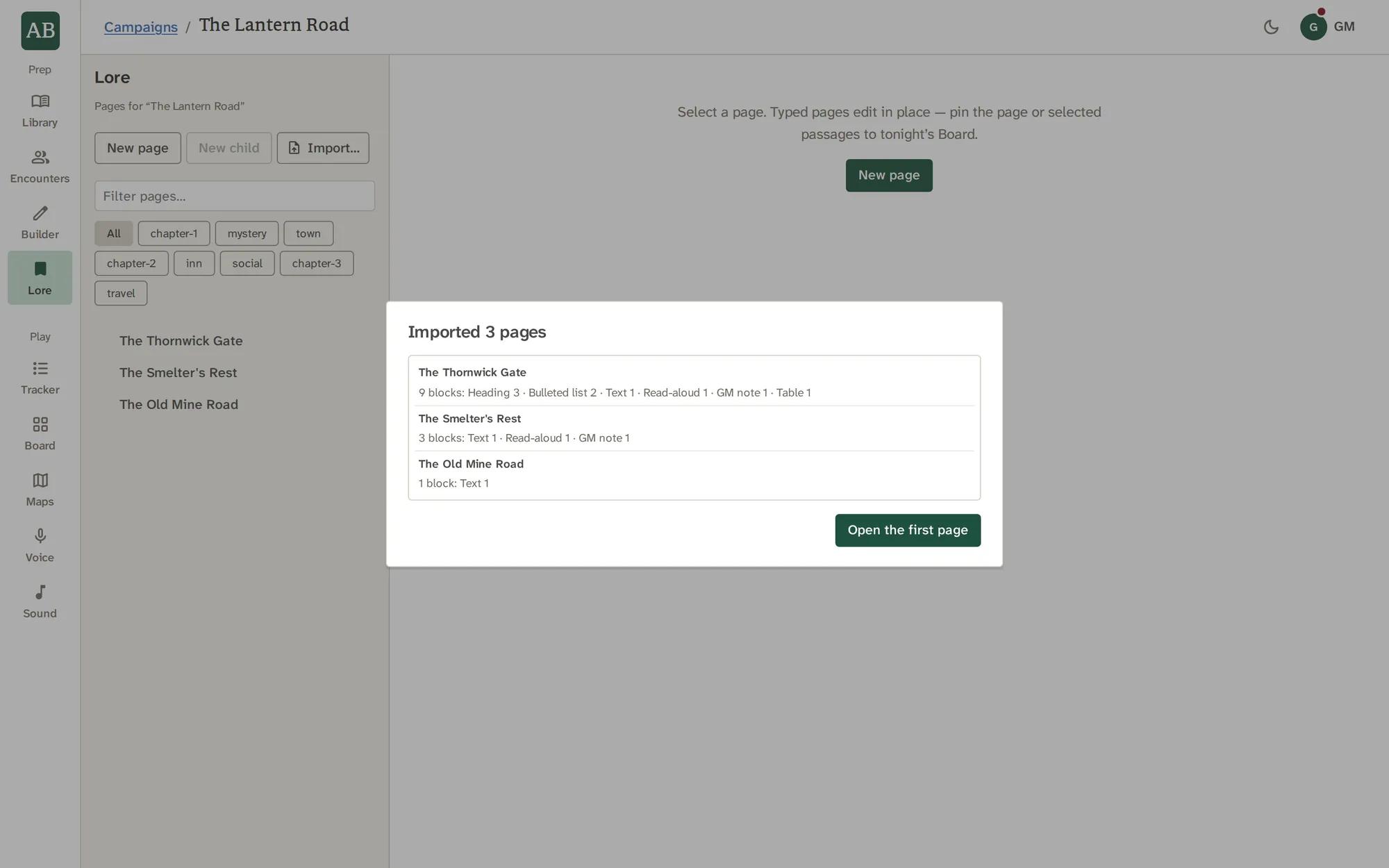
Drop in Markdown files. Headings, lists, tables, code and callouts become blocks, and a stat block copied from another tool is linked to its Library creature when there is one. A whole module becomes a page with its chapters under it.
- The dialog says how many pages it will make before anything is imported
- A report afterwards counts the blocks by kind
- Anything it cannot read comes in as plain text, never lost
Organize it your way
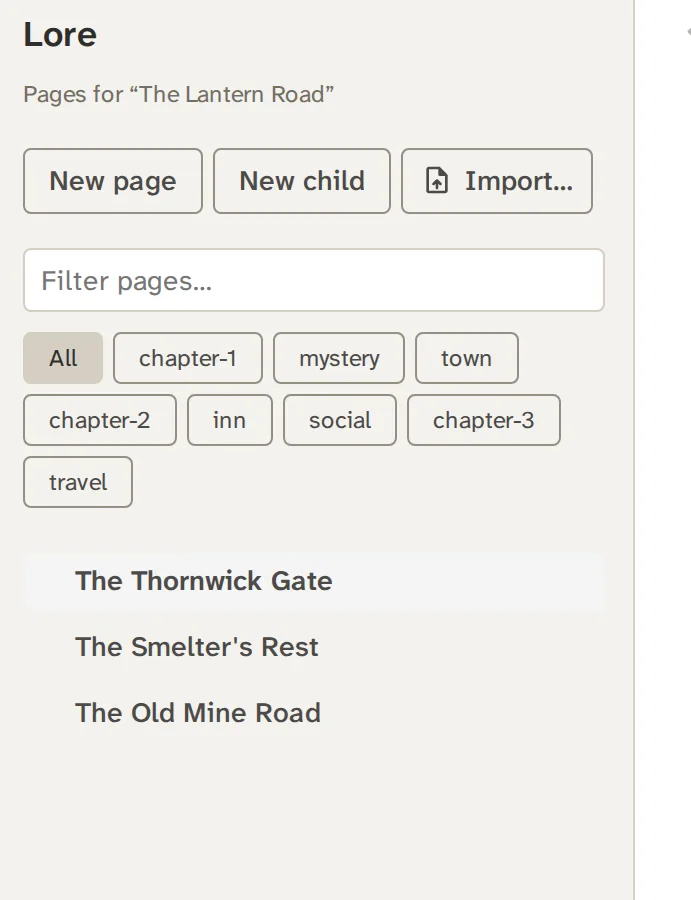
Pages nest into chapters and scenes. Drag a page by its row to reorder it or move it inside another, fold a branch like a folder, and filter by tag.
- Folds are remembered per campaign on this device
- A module imported as a tree arrives folded
- On a phone the page list opens as a Pages sheet
Take it to the table
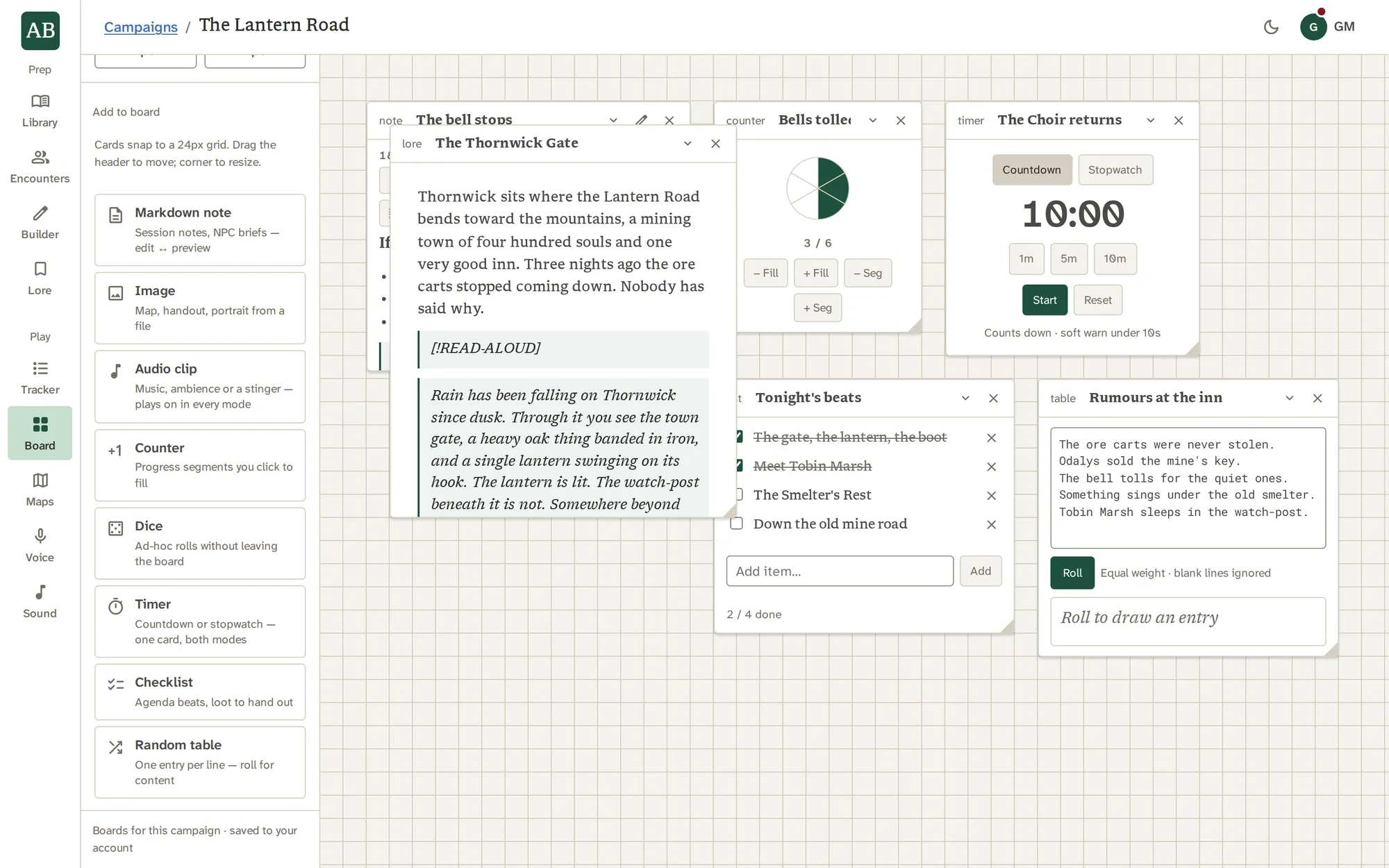
The page bar holds Board, Read aloud and Speak…. Pin the page, and its card follows the live page; pin chosen blocks, and they keep a snapshot until you refresh them.
- Read aloud plays only the blocks marked for players, and never a GM block
- Speak… opens editable narration in Voice
- Download writes the page back out as Markdown
See it work
The page reads itself.
Read aloud plays a page's player-facing blocks in your narrator's voice. This sketch follows the words as they are spoken.
With the other tools
Where the work goes next.
Good to know
What it does not do.
- Lore holds the adventure text a session needs. It is not an encyclopedia of your world.
- An older page still in Markdown is shown as it was, and can be converted to blocks after a preview.
- Lore never fetches pictures from addresses in a file. An image waits for its file.
Questions
About Lore.
Can I import my existing adventure?
Yes. Import Markdown files, one or many. Headings, lists, tables, code and callouts become blocks. A file too big for one page, up to 2.5 million characters, becomes a page with its chapters under it.
What happens to things Lore cannot read?
They come in as plain text where they were, and the report says so. Nothing is dropped.
Can my players see my Lore pages?
No. Players see only what you choose to show, one thing at a time, from the Board or Maps. A GM block is never offered to Read aloud.
Does Read aloud need anything?
Yes. It uses Voice, which runs on your own Gemini API key. Writing and importing need no key.
Can I get my pages back out?
Yes. Download writes a page as a Markdown file, with boxes as callouts and code as fences.
How many pages can a campaign hold?
200. The import dialog counts each file against that before it imports.
Do images in my files come along?
Lore never fetches a picture from a web address in a file. An image waits for its file, and the report tells you where it was in the original.
Is a pinned page a copy?
A whole-page card follows the live page. A block card keeps a snapshot until you press Refresh.
Try Lore on your own campaign.
Write the adventure once, read it anywhere.